
使用 CSS3 为图像添加阴影
cssweb developmentfront end technology更新于 2024/11/5 3:24:17
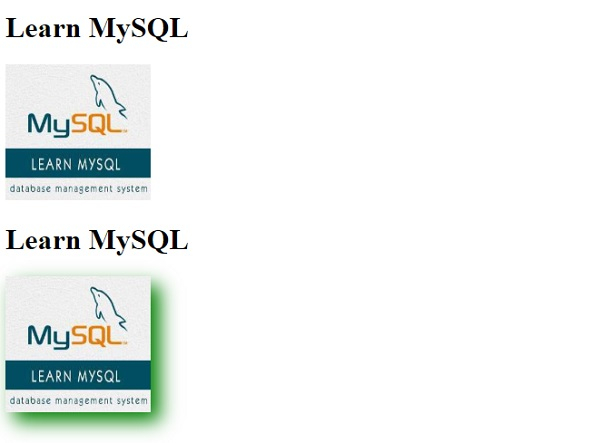
要在 CSS3 中为图像添加阴影,请使用滤镜属性的 drop-shadow 值。它具有以下值 −
h-shadow - 指定水平阴影的像素值。
v-shadow - 指定垂直阴影的像素值。负值会将阴影置于图像上方。
blur - 为阴影添加模糊效果。
spread - 正值使阴影扩大,负值则缩小。
color - 为阴影添加颜色
示例
<!DOCTYPE html>
<html>
<head>
<style>
img.demo {
   filter: brightness(120%);
   filter: contrast(120%);
   filter: drop-shadow(10px 10px 10px green);
}
</style>
</head>
<body>
<h1>Learn MySQL</h1>
<img src="https://www.cainiaomax.com/mysql/images/mysql-mini-logo.jpg" alt="MySQL" width="160" height="150">
<h1>Learn MySQL</h1>
<img class="demo" src="https://www.cainiaomax.com/mysql/images/mysql-mini-logo.jpg" alt="MySQL" width="160" height="150">
</body>
</html>
输出
相关文章
有用资源
css 参考教程 - 该教程包含有关 css 的更多信息:https://www.cainiaomax.com/css/

