
Python Tkinter 中的 askopenfile() 函数
pythonserver side programmingprogramming更新于 2025/8/3 18:20:17
我们无需对 Python 程序要使用的文件路径进行硬编码,而是允许用户使用 GUI 浏览操作系统文件夹结构并让用户选择文件。这是使用 tkinter 模块实现的,我们在其中定义一个画布并在其上放置一个按钮来浏览文件。
在下面的程序中,我们定义了一个文件打开器函数。我们仅使用此函数打开文本文件,因为 Python 可以读取文本文件的内容并以更易读的方式将其打印出来。我们可以读取任何基于文本的文件,如 .txt 或 .csv 文件。
示例
from tkinter import *
from tkinter import filedialog
base = Tk()
# 创建画布
base.geometry('150x150')
# 打开文件的函数
def file_opener():
   input = filedialog.askopenfile(initialdir="/")
   print(input)
   for i in input:
      print(i)
# 按钮标签
x = Button(base, text ='Select a .txt/.csv file', command = lambda:file_opener())
x.pack()
mainloop()
下面的对话框打开以浏览文件。
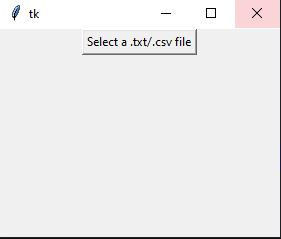
然后我们选择一个文件。
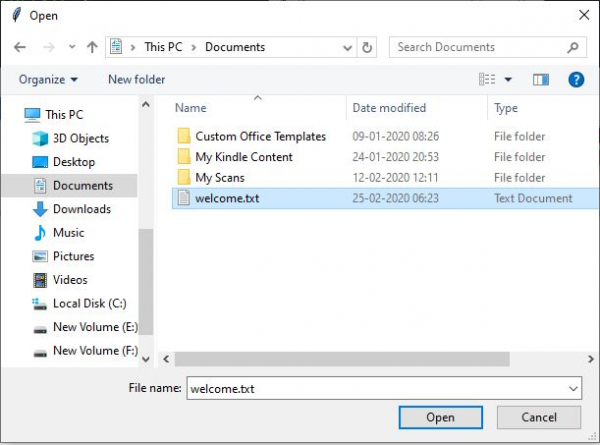
输出
运行上述代码得到以下结果 −
<_io.TextIOWrapper name='C:/Users/Pradeep/Documents/welcome.txt' mode='r' encoding='cp1252'>
Hello There !
Welcome to Tutorialspoint!
相关文章
有用资源
python 参考教程 - 该教程包含有关 python 的更多信息:https://www.cainiaomax.com/python/

