
使用 CSS 构建工具提示
cssweb developmentfront end technology更新于 2025/11/27 9:48:17
工具提示用于设置额外的信息。当访问者将鼠标指针移动到元素上时,它会在网页上显示。
以下是使用 CSS 构建工具提示的代码 −
示例
<!DOCTYPE html>
<html>
<style>
body {
   font-family: "Segoe UI", Tahoma, Geneva, Verdana, sans-serif;
   text-align: center;
}
.toolTip {
   position: relative;
   display: inline-block;
   border-bottom: 3px double rgb(255, 0, 0);
}
.toolTip .toolText {
   visibility: hidden;
   width: 160px;
   background-color: #721cd4;
   color: #fff;
   text-align: center;
   border-radius: 6px;
   padding: 5px 0;
   position: absolute;
   top: -35px;
   left: -10px;
   z-index: 1;
}
.toolTip:hover .toolText {
   visibility: visible;
}
</style>
<body>
<h1>Css tooltip example</h1>
<div class="toolTip">
Hover over me
<span class="toolText">Some toolTip text</span>
</div>
<h2>Hover over the above text to see the tooltip</h2>
</body>
</html>
输出
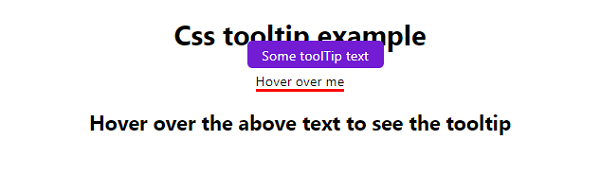
上述代码将产生以下输出 −
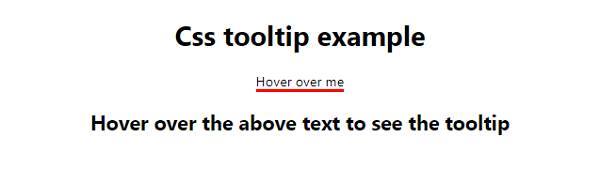
悬停在"悬停在我上方"文本上 −
相关文章
有用资源
css 参考教程 - 该教程包含有关 css 的更多信息:https://www.cainiaomax.com/css/

