使用 Selenium 清除文本区域中的文本。
software testingautomation testingselenium web driver更新于 2026/2/7 21:07:17
我们可以使用 Selenium 清除文本区域中的文本。我们将使用 clear 方法从文本区域或编辑框中删除内容。首先,我们将借助任意定位器来识别文本区域。
文本区域在 HTML 代码中通过 textarea 标签名进行标识。让我们在下面的文本区域中输入一些文本,然后清除文本。
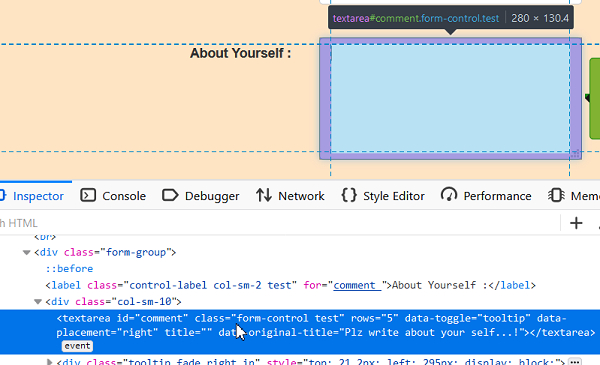
示例
import org.openqa.selenium.By;
import org.openqa.selenium.WebDriver;
import org.openqa.selenium.WebElement;
import org.openqa.selenium.chrome.ChromeDriver;
public class TextAreaClear{
   public static void main(String[] args) {
      System.setProperty("webdriver.chrome.driver","C:\Users\ghs6kor\Desktop\Java\chromedriver.exe");
      WebDriver driver = new ChromeDriver();
      driver.get("http://www.uitestpractice.com/Students/Form");
      // 识别元素
      WebElement m = driver.findElement(By.id("comment"));
      // 输入文本
      m.sendKeys("Selenium");
      // 获取在文本区域输入的值
      System.out.println("输入的值: " + m.getAttribute("value"));
      // 清除文本区域
      m.clear();
      // 获取清除后在文本区域中输入的值
      System.out.println("Value after clear(): " + m.getAttribute("value"));
      driver.quit();
   }
}
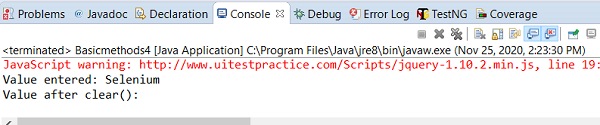
输出