
使用 React 和 TypeScript 的条件属性
在 React 和 TypeScript 中,您可以使用条件渲染来根据条件选择要渲染的内容。这在根据特定条件显示不同内容或组件时非常有用。在 React 和 TypeScript 中有几种不同的方法可以实现条件渲染。一种方法是使用条件运算符(也称为三元运算符)。此运算符接受一个条件,如果条件为真,则返回一个值,如果条件为假,则返回另一个值。
您还可以使用 && 运算符根据条件有条件地渲染组件。如果此运算符左侧的值为真,则计算结果为真;如果左侧的值为假,则计算结果为假。
实现条件渲染的另一种方法是使用 switch 语句,该语句允许您针对多种情况测试一个值,并根据与值匹配的情况执行不同的代码块。
一般来说,在实现条件渲染时,最好使用最直接、最符合您需求的方法。这可以使代码更易于阅读和理解。
条件属性
在 React 中,属性将数据从父组件传递到子组件。条件属性仅在某些条件下在组件上设置。
将 TypeScript 与 React 结合使用,您可以对代码进行类型检查,并为组件期望接收的属性提供类型定义。这有助于发现错误,并使您的代码更易于理解和维护。
要使用 TypeScript 在 React 组件中创建条件属性,您可以使用"if"语句或三元运算符根据条件设置属性的值。例如,您可能有一个需要"color"属性的组件,但您只想在满足特定条件时设置"color"属性。在这种情况下,您可以使用条件语句仅在满足条件时设置"color"prop。
示例步骤
使用以下命令创建一个新的react typescript项目-
npx create-react-app my-app --template typescript
在react项目的src文件夹中创建一个名为"MyComponent"的新组件,名称为"MyComponent.tsx"。
然后我们需要定义Props接口以在react中使用typescript数据约定。
我们可以使用三元运算符或 && 运算符有条件地显示传递的属性。
从"App.tsx"中我们导入MyComponent并多次使用它。我们在不同的属性值下使用此组件,并在网页上检查结果。
示例
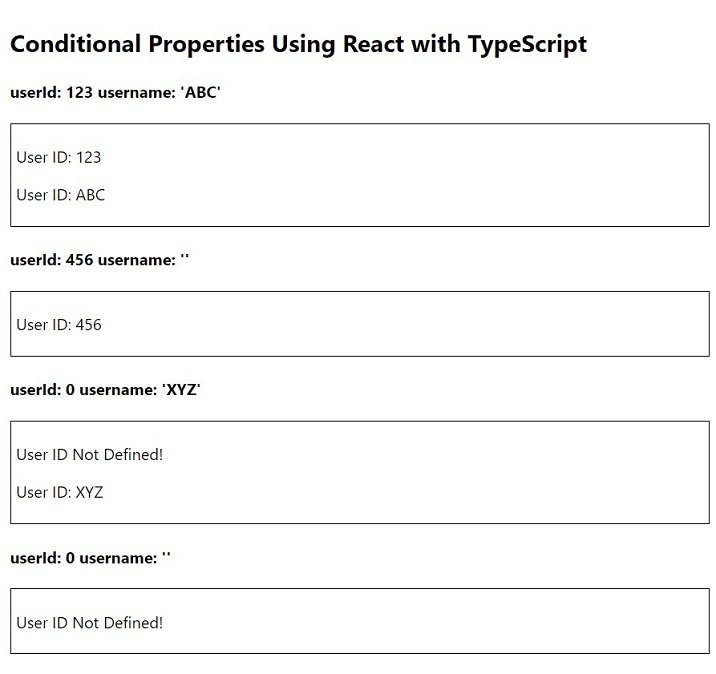
在此示例中,我们使用 react 和 typescript 展示了条件属性。我们通过 props 获取 MyComponent 中的属性值。我们采用两个属性,即"userId"和"username"。从逻辑上讲,如果 useId 不等于 0,我们会尝试使用三元运算符在网页上显示 userId,并且仅当 username 不是空字符串时,我们才会使用 && 运算符显示 username。
App.tsx
import React from 'react'
import MyComponent from './MyComponent'

export const App: React.FC = () => {
   return (
      <div style={{ padding: '10px' }}>
         <h2> Conditional Properties Using React with TypeScript </h2>
         <div>
            <h4> userId: 123 username: 'ABC' </h4>
            <MyComponent userId={123} username="ABC" />

            <h4> userId: 456 username: '' </h4>
            <MyComponent userId={456} username="" />

            <h4> userId: 0 username: 'XYZ' </h4>
            <MyComponent userId={0} username="XYZ" />

            <h4> userId: 0 username: '' </h4>
            <MyComponent userId={0} username="" />
         </div>
      </div>
  )
}
export default App
MyComponent.tsx
import React from 'react'

type Props = {
   userId: number
   username: string
}

const MyComponent: React.FC<Props> = ({ userId, username }) => {
   return (
      <div style={{ border: '1px solid black', padding: '5px' }}>
         {userId !== 0 ? <p>User ID: {userId}</p> : <p>User ID Not Defined!</p>}
         {username !== '' && <p>User ID: {username}</p>}
      </div>
   )
}
export default MyComponent
输出
示例
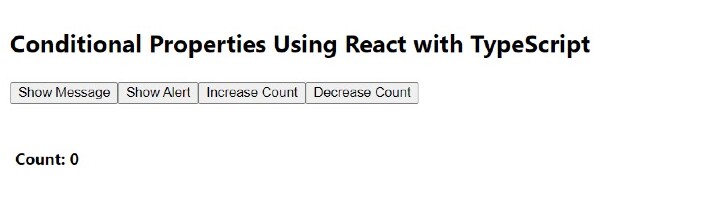
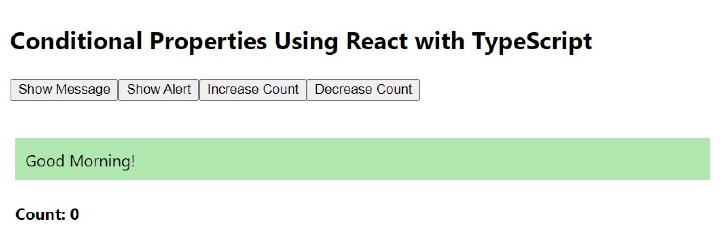
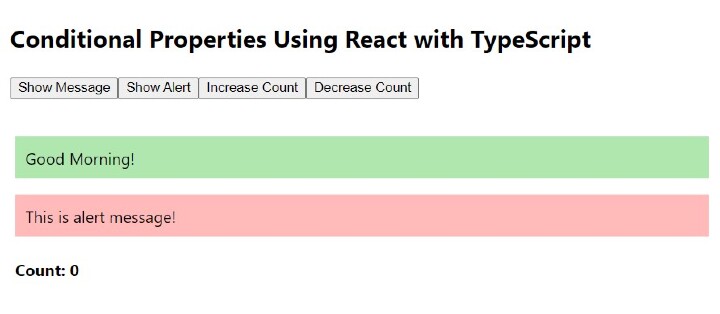
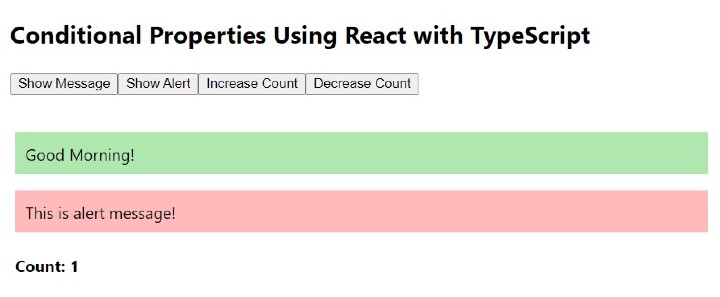
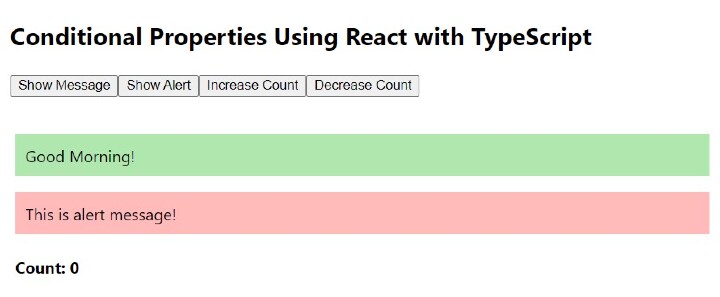
在此示例中,我们将更有效、更交互地查看条件属性。我们将获取用户输入以在网页上显示消息和数据。我们采用三个属性,即"showMessgae"、"showAlert"和"count"。从逻辑上讲,我们将使用用户触发的事件在 MyComponent 中动态传递这些属性。在 App.tsx 中,我们有四个按钮"显示消息"、"显示警报"、"增加计数"和"减少计数"。我们在 App.tsx 中还有一些状态,用于显示消息、警报和存储计数器值。从逻辑上讲,我们正在切换状态以更改 MyComponent 中的属性。
App.tsx
import React, { useState } from 'react'
import MyComponent from './MyComponent'

export const App: React.FC = () => {
   const [showMessage, setShowMessage] = useState<Boolean>(false)
   const [showAlert, setShowAlert] = useState<Boolean>(false)
   const [count, setCount] = useState<number>(0)
   return (
      <div style={{ padding: '10px' }}>
         <h2> Conditional Properties Using React with TypeScript </h2>
         <p>
            <button onClick={() => setShowMessage(!showMessage)}>Show Message</button>
            <button onClick={() => setShowAlert(!showAlert)}> Show Alert </button>
            <button onClick={() => setCount(count + 1)}> Increase Count </button>
            <button onClick={() => setCount(count + 1)}> Decrease Count </button>
         </p>
         <MyComponent
            showMessage={showMessage}
            showAlert={showAlert}
            count={count}
         />
      </div>
  )
}
export default App
MyComponent.tsx
import React from 'react'

type Props = {
   showMessage: Boolean
   showAlert: Boolean
   count: number
}

const MyComponent: React.FC<Props> = ({ showMessage, showAlert, count }) => {
   return (
      <div style={{ padding: '5px' }}>
         {showMessage && (
            <p style={{ backgroundColor: '#afe7af', padding: '10px' }}>
               Good Morning!
            </p>
         )}
         {showAlert && (
            <p style={{ backgroundColor: '#ffbaba', padding: '10px' }}>
               This is alert message!
            </p>
         )}
         <h4>Count: {count}</h4>
      </div>
   )
}
export default MyComponent
输出
单击"显示消息"按钮
单击"显示警报"按钮
单击"增加计数"按钮
单击"减少计数"按钮
使用 react 和 typescript 的条件属性是构建任何 Web 应用程序的一种非常强大且交互性强的方式。对于现代 Web 开发来说,它是必需的。
有用资源
javascript 参考教程 - 该教程包含有关 javascript 的更多信息:https://www.cainiaomax.com/javascript/

