
使用 object-fit 和 object-position 在 CSS 中裁剪图像
cssweb developmentfront end technology更新于 2024/9/4 1:48:17
CSS object-fit 和 object-position 属性可帮助我们裁剪图像并指定其在元素中的显示方式。
CSS object-fit 属性的语法如下 −
Selector {
   object-fit: /*value*/
   object-position:/*value*/
}
示例
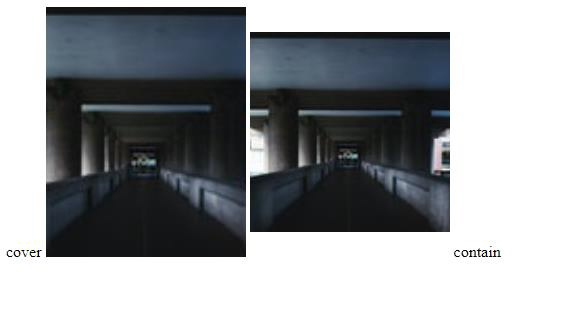
以下示例说明了 CSS object-fit 属性。
<!DOCTYPE html>
<html>
<head>
<style>
img {
   object-fit: cover;
}
img:last-of-type {
   object-fit: contain;
}
</style>
</head>
<body>
cover
<img src="https://images.unsplash.com/photo-1611423837981- 2cba00ee7631?crop=entropy&cs=tinysrgb&fit=crop&fm=jpg&h=120&ixlib=rb1.2.1&q=80&w=120" width="200" height="250"/>
<img src="https://images.unsplash.com/photo-1611423837981- 2cba00ee7631?crop=entropy&cs=tinysrgb&fit=crop&fm=jpg&h=120&ixlib=rb1.2.1&q=80&w=120" width="200" height="250"/>
contain
</body>
</html>
输出
这将产生以下结果 −
示例
<!DOCTYPE html>
<html>
<style>
div {
   border: 1px solid blue;
   width:100%;
   height:300px;
}
img {
   float:left;
   width:50%;
   height:100%;
   object-fit:cover;
   object-position: 20px -10px;
}
</style>
<body>
<div >
<img src="https://images.unsplash.com/photo-1611800065908-
233b597db552?crop=entropy&cs=tinysrgb&fit=crop&fm=jpg&h=350&ixlib=rb1.2.1&q=80&w=250" />
<img src="https://images.unsplash.com/photo-1612626256634-
991e6e977fc1?crop=entropy&cs=tinysrgb&fit=crop&fm=jpg&h=350&ixlib=rb1.2.1&q=80&w=250"/>
</div>
</body>
</html>
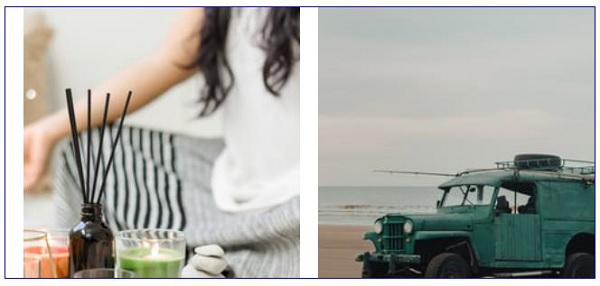
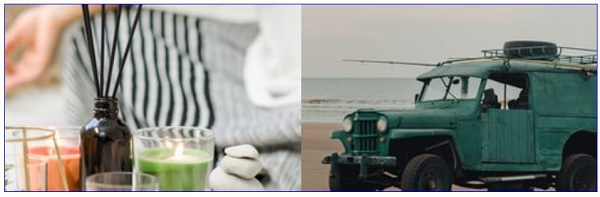
输出
这将产生以下结果 −
Effect of resizing
相关文章
有用资源
css 参考教程 - 该教程包含有关 css 的更多信息:https://www.cainiaomax.com/css/

