
CSS 绝对单位和相对单位
cssweb developmentfront end technology更新于 2025/1/17 23:08:17
CSS 绝对单位和相对单位都属于距离单位类别。
CSS 相对单位定义一个元素相对于另一个元素的长度。
例如,vh 相对单位是相对于视口高度的。
以下是 CSS 相对单位 −
| Sr.No | Unit &相对于 |
|---|---|
| 1 | % 父元素尺寸 |
| 2 | em 元素的字体大小 |
| 3 | ex 元素字体的 x 高度 |
| 4 | lh 元素的行高 |
| 5 | rem 根元素的字体大小 |
| 6 | rlh 根元素的行高 |
| 7 | vb 根元素块轴上视口大小的 1% |
| 8 | vh 视口高度的 1% |
| 9 | vmax 视口较大尺寸的 1% |
| 10 | vmin 视口较小尺寸的 1% |
| 11 | vw 视口宽度的 1% |
示例
让我们看一个 CSS 相对单位的示例 −
<!DOCTYPE html>
<html>
<head>
<title>CSS Relative Units</title>
<style>
html{
   font-size: 14px;
   line-height: normal;
}
form {
   width:70%;
   margin: 0 auto;
   text-align: center;
}
* {
   padding: 2px;
   margin:5px;
}
input[type="button"] {
   border-radius: 10px;
}
#textContain {
   font-size: 20px;
   line-height: 2;
}
</style>
</head>
<body>
<form>
<fieldset>
<legend>CSS-Relative-Units</legend>
<input type="text" id="textSelect" placeholder="Type Text Here...">
<input type="number" id="numSelect" value="1" min="1">
<div id="radioBut">
<input class="radio" type="radio" name="heading" value="em" checked><label>em</label>
<input class="radio" type="radio" name="heading" value="rem"><label>rem</label>
<input class="radio" type="radio" name="heading" value="vw"><label>vw</label>
<input class="radio" type="radio" name="heading" value="vh"><label>lh</label>
<input class="radio" type="radio" name="heading" value="ex"><label>ex</label>
</div>
<div id="textContain">Text Preview: <span id="textPreview">Output will show up here</span></div>
<input type="button" onclick="changeText()" value="Preview">
</fieldset>
</form>
<script>
var textSelect = document.getElementById("textSelect");
var numSelect = document.getElementById("numSelect");
var textPreview = document.getElementById("textPreview");
function changeText() {
   if(textSelect.value === '')
      textPreview.textContent = 'Type some text first';
   else{
      for(var i=0; i<5; i++){
         var radInp = document.getElementsByClassName('radio')[i];
         if(radInp.checked === true){
            textPreview.textContent = textSelect.value;
            textPreview.style.fontSize = numSelect.value+radInp.value
         }
      }
   }
}
</script>
</body>
</html>
输出
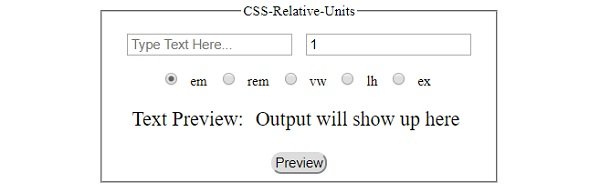
以下是上述代码的输出 −
点击任何按钮之前 −
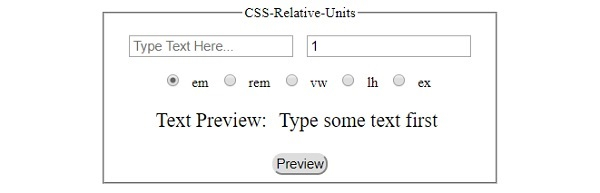
点击‘Preview’按钮后,选择‘em’选项,文本框为空 −
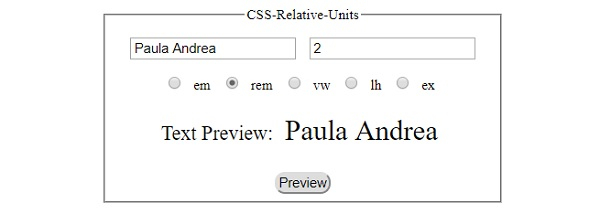
点击‘Preview’按钮后,选择‘rem’选项已选中且文本字段为非空 −
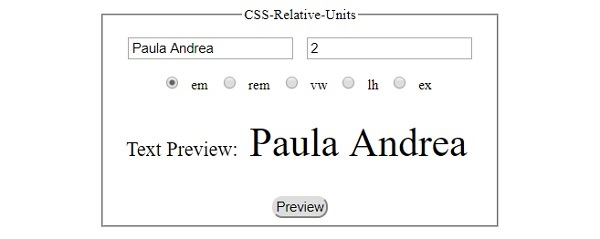
点击 ‘预览’ 按钮后,使用 ‘em’选项已选中且文本字段非空 −
以下是 CSS 绝对单位 −
| Sr.No | 单位 &名称 |
|---|---|
| 1 | cm 厘米 (1 厘米 = 100 毫米) |
| 2 | in 英寸 (1 英寸 = 2.54 厘米) |
| 3 | mm 毫米 |
| 4 | pc 派卡 (1 pc = 12 pt) |
| 5 | pt 点 (1 pt = 1/72 in) |
| 6 | px 像素 (1 px = 0.75 pt) |
示例
让我们看一个 CSS 绝对单位的示例 −
<!DOCTYPE html>
<html>
<head>
<title>CSS Absolute Units</title>
<style>
form {
   width:70%;
   margin: 0 auto;
   text-align: center;
}
* {
   padding: 2px;
   margin:5px;
}
input[type="button"] {
   border-radius: 10px;
}
</style>
</head>
<body>
<form>
<fieldset>
<legend>CSS-Absolute-Units</legend>
<input type="text" id="textSelect" placeholder="Type Text Here...">
<input type="number" id="numSelect" value="10" min="1">
<div id="radioBut">
<input class="radio" type="radio" name="heading" value="pc"><label>pc</label>
<input class="radio" type="radio" name="heading" value="pt"><label>pt</label>
<input class="radio" type="radio" name="heading" value="px" checked><label>px</label>
<input class="radio" type="radio" name="heading" value="in"><label>in</label>
<input class="radio" type="radio" name="heading" value="cm"><label>cm</label>
</div>
<div id="textContain">Text Preview: <span id="textPreview">Output will show up here</span></div>
<input type="button" onclick="changeText()" value="Preview">
</fieldset>
</form>
<script>
var textSelect = document.getElementById("textSelect");
var numSelect = document.getElementById("numSelect");
var textPreview = document.getElementById("textPreview");
function changeText() {
   if(textSelect.value === '')
      textPreview.textContent = 'Type some text first';
   else{
      for(var i=0; i<5; i++){
         var radInp = document.getElementsByClassName('radio')[i];
         if(radInp.checked === true){
            textPreview.textContent = textSelect.value;
            textPreview.style.fontSize = numSelect.value+radInp.value
         }
      }
   }
}
</script>
</body>
</html>
输出
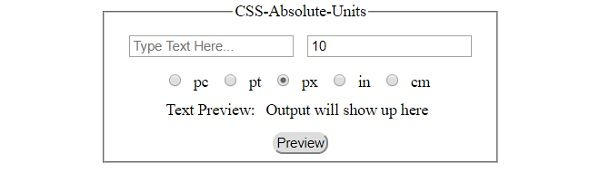
以下是上述代码的输出 −
点击任何按钮之前 −
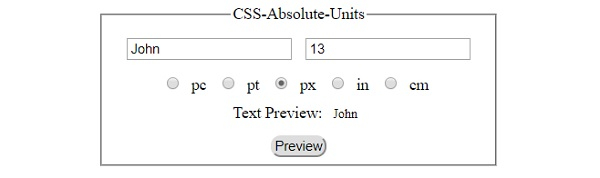
点击‘Preview’按钮后,选中‘px’选项,文本字段非空 −
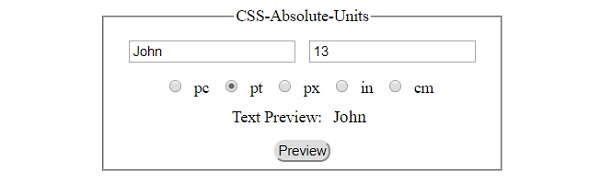
点击‘Preview’按钮后,选中‘pt’选中"pc"选项且文本字段非空 −
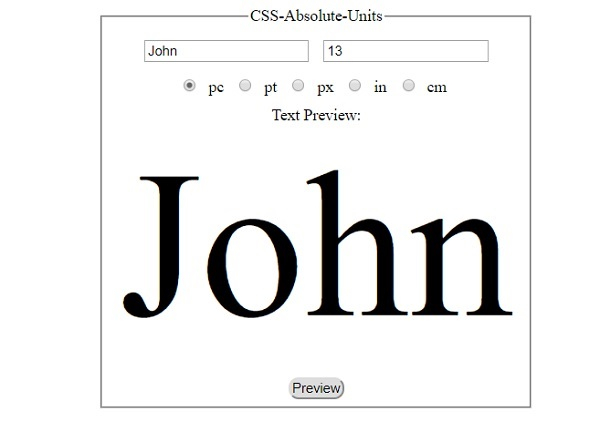
在选中"pc"选项且文本字段非空的情况下点击"预览"按钮后 −
相关文章
有用资源
css 参考教程 - 该教程包含有关 css 的更多信息:https://www.cainiaomax.com/css/

