
CSS right 属性
cssweb developmentfront end technology更新于 2024/11/5 7:08:17
right 属性用于设置元素的水平位置。设置为 −
right: auto|length|initial|inherit;
示例
让我们看一个在 CSS 中实现 right 属性的示例 −
<!DOCTYPE html>
<html>
<head>
<style>
div {
   text-align: justify;
   text-justify: inter-word;
   color: white;
   background-color: orange;
   position: absolute;
   right: 90px;
}
</style>
</head>
<body>
<h2>Demo Heading</h2>
<div>This is demo text. This is demo text. This is demo text. This is demo text. This is demo text. This is demo text. This is demo text. This is demo text. This is demo text. This is demo text. This is demo text. This is demo text. This is demo text. This is demo text. This is demo text. This is demo text. </div>
</body>
</html>
输出
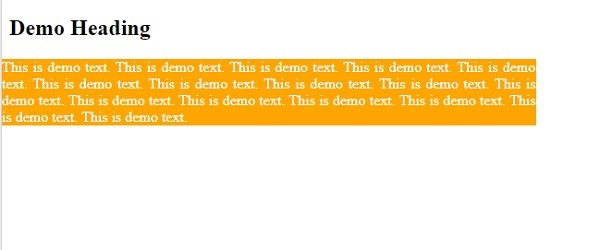
示例
让我们看另一个例子 −
<!DOCTYPE html>
<html>
<head>
<style>
.demo {
   background-color:orange;
   width:100px;
   position:relative;
   right:0px;
   color: white;
}
</style>
</head>
<body>
<h1>Details</h1>
<div class="demo">Examination Center near ABC College.</p>
<div class="demo2">Exam begins at 11AM.</p>
</body>
</html>
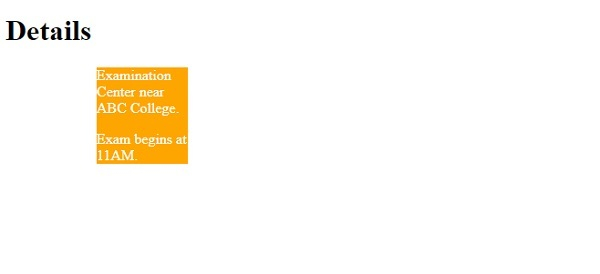
输出
示例
现在让我们看一个负值的例子 −
<!DOCTYPE html>
<html>
<head>
<style>
.demo {
   background-color:orange;
   width:100px;
   position:relative;
   right:-100px;
   color: white;
}
</style>
</head>
<body>
<h1>Details</h1>
<div class="demo">Examination Center near ABC College.</p>
<div class="demo2">Exam begins at 11AM.</p>
</body>
</html>
输出
相关文章
有用资源
css 参考教程 - 该教程包含有关 css 的更多信息:https://www.cainiaomax.com/css/

