
在 JavaScript 中,在关注输入类型时在控制台上显示一条消息?
javascriptweb developmentobject oriented programming更新于 2025/11/16 5:00:17
为此,您可以使用 focus() 的概念。以下是代码 −
示例
<!DOCTYPE html>
<html lang="en">
<head>
<meta charset="UTF-8">
<meta name="viewport" content="width=device-width, initialscale=1.0">
<title>Document</title>
<link rel="stylesheet" href="//code.jquery.com/ui/1.12.1/themes/base/jquery-ui.css">
<script src="https://code.jquery.com/jquery-1.12.4.js"></script>
<script src="https://code.jquery.com/ui/1.12.1/jquery-ui.js"></script>
<link rel="stylesheet" href="https://cdnjs.cloudflare.com/ajax/libs/fontawesome/
4.7.0/css/font-awesome.min.css">
</head>
<body>
<input id='txtInput' placeholder="Enter the value......."/>
<button id='submitBtn'>Submit</button>
<script>
   const submitButton = document.getElementById('submitBtn');
   submitButton.addEventListener('click', () => {
      console.log('Submitting information to the server.....');
   })
   const txtInput = document.getElementById('txtInput');
   txtInput.addEventListener('blur', () => {
      console.log('Enter the new value into the text box......');
      txtInput.focus();
   });
   txtInput.focus();
</script>
</body>
</html>
要运行上述程序,请将文件名保存为"anyName.html(index.html)",然后右键单击该文件。在 VS Code 编辑器中选择选项"使用 Live Server 打开"。
输出
将产生以下输出 −
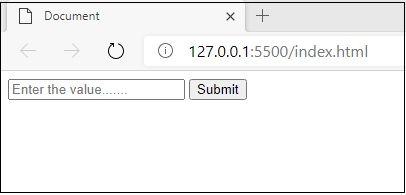
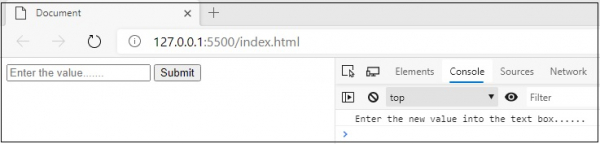
将焦点放在输入文本框上后,您将获得以下输出。
相关文章
有用资源
javascript 参考教程 - 该教程包含有关 javascript 的更多信息:https://www.cainiaomax.com/javascript/

