
Django – 基于管理的文件管理
pythonserver side programmingprogramming更新于 2025/9/30 21:32:17
我们通常从前端进行文件或图像相关的更改。在本文中,我们将了解如何在管理面板上进行文件管理,我们可以在其中管理要从服务器呈现到客户端的不同类型的文件。
示例
安装 django-filer 模块 −
pip install django-filer
在 settings.py 中,添加以下 −
INSTALLED_APPS = [
   ...
   'easy_thumbnails',
   "filer",
   "mptt",
   ...
]
THUMBNAIL_HIGH_RESOLUTION = True

THUMBNAIL_PROCESSORS = (
   'easy_thumbnails.processors.colorspace',
   'easy_thumbnails.processors.autocrop',
   #'easy_thumbnails.processors.scale_and_crop',

   'filer.thumbnail_processors.scale_and_crop_with_subject_location',
   'easy_thumbnails.processors.filters',
)
在这里,我们刚刚将必要的库作为应用程序添加到我们的项目。我们添加了一些图像预处理。
现在,您已完成管理页面的所有工作。让我们为上传的文件制作圆锥形url。
在urls.py中,添加以下−
urlpatterns = [
   ...
   path(r'filer/', include('filer.urls')),
   ...
]
在这里,我们为文件管理器创建了一个 URL,所有文件或图像都将存储在其中。
输出
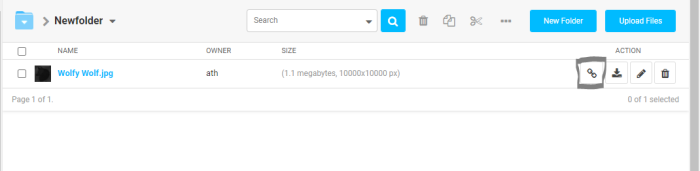

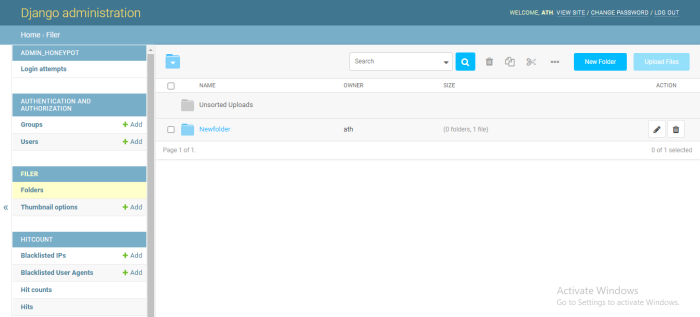
现在对于锥形 URL,转到文件夹,您将看到一个按钮,单击它,您将获得锥形 URL −
相关文章
有用资源
python 参考教程 - 该教程包含有关 python 的更多信息:https://www.cainiaomax.com/python/

