
在 Tkinter 中动态更改小部件的背景颜色
tkinterpythongui-programming更新于 2025/5/19 21:32:17
要在 Tkinter 应用程序中配置小部件的属性,我们通常使用"configure(**options)"方法。我们可以在应用程序中自定义小部件的背景颜色、字体属性和其他特定属性。
有时我们想要动态更改小部件的背景颜色。不过,我们也可以定义颜色列表,并在遍历列表时更改颜色。
示例
#导入所需的库
from tkinter import *
from random import shuffle
import time
#创建 Tkinter 框架的实例
win = Tk()
win.geometry("700x250")
#为所有小部件添加字体
win.option_add("*Font", "aerial")
#为所有小部件定义背景颜色
def change_color():
colors= ['#e9c46a','#e76f51','#264653','#2a9d8f','#e85d04','#a2d2ff','#06d6a0','#4d908e']
while True:
shuffle(colors)
for i in range(0,len(colors)):
win.config(background=colors[i])
win.update()
time.sleep(1)
#显示一组小部件
label=Label(win, text="Hello World", bg= 'white')
label.pack(pady= 40, padx= 30)
#创建一个按钮来更改小部件的背景颜色
btn=Button(win, text="Button", command= change_color)
btn.pack(pady= 10)
win.mainloop()
输出
当我们编译上述代码时,它将显示一个带有标签小部件和按钮的窗口。
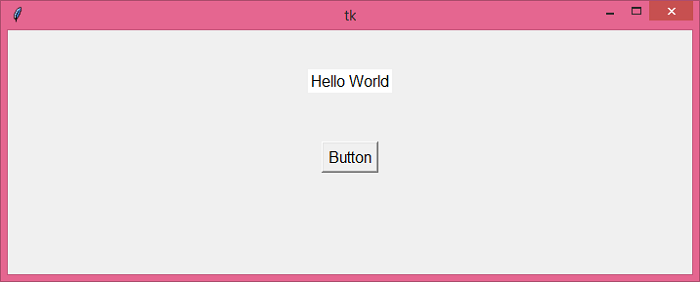
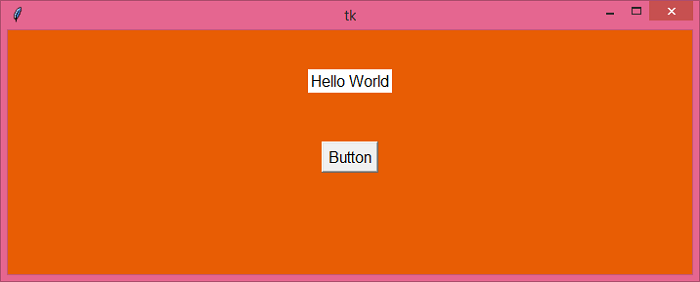
当我们按下按钮时,它将调用 change_color() 函数,该函数动态更改窗口的背景颜色。
相关文章
有用资源
python 参考教程 - 该教程包含有关 python 的更多信息:https://www.cainiaomax.com/python/

