使用 jQuery 计算单选按钮值的总和?
jqueryweb developmentfront end technology更新于 2026/1/5 17:22:17
假设我们有标记记录,需要对它们求和。这些记录显示在单选按钮中。
标记 1
<label><input type="radio" name="firstMarks" value="75" /> 75</label>
<label><<input type="radio" name="firstMarks" value="57> /> 57 </label>
标记 2
<label><input type="radio" name="secondMarks" value="89" /> 89</label>
<label><input type="radio" name="secondMarks" value="54" /> 54</label>
示例
以下是循环求和的完整代码 −
<!DOCTYPE html>
<html lang="en">
<head>
   <meta charset="UTF-8">
   <meta name="viewport" content="width=device-width, initial-scale=1.0">
   <title>Document</title>
</head>
<link rel="stylesheet" href="//code.jquery.com/ui/1.12.1/themes/base/jquery-ui.css">
<script src="https://code.jquery.com/jquery-1.12.4.js"></script>
<script src="https://code.jquery.com/ui/1.12.1/jquery-ui.js"></script>
<body>
   <form>
      <p>Marks1</p>
      <p>
         <label><input type="radio" name="firstMarks" value="75" /> 75</label>
         <label><input type="radio" name="firstMarks" value="57" /> 57</label>
      </p>
      <p>Marks2</p>
      <p>
         <label><input type="radio" name="secondMarks" value="89" /> 89</label>
         <label><input type="radio" name="secondMarks" value="54" /> 54</label>
      </p>
      <input type="button" value="calculate" onclick="getResult()" />
   </form>
</body>
<script>
   function getResult() {
      var firstMark = document.getElementsByName('firstMarks');
      var secondMark = document.getElementsByName('secondMarks');
      var total = 0;
       firstMark.forEach((evnt) => {
         if (evnt.checked) {
            total = total + parseInt(evnt.value);
            return;
         }
      });
      secondMark.forEach((evnt) => {
         if (evnt.checked) {
            total = total + parseInt(evnt.value);
            return;
         }
      });
      console.log("Total Marks=" + total);
   }
</script>
</html>
要运行上述程序,请保存文件名"anyName.html(index.html)"。右键单击该文件,然后选择选项"使用 Live Server 打开"。在 VS Code 编辑器中。
输出
将产生以下输出 −
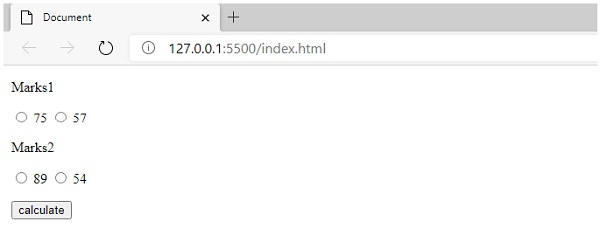
现在,从单选按钮中选择值 −
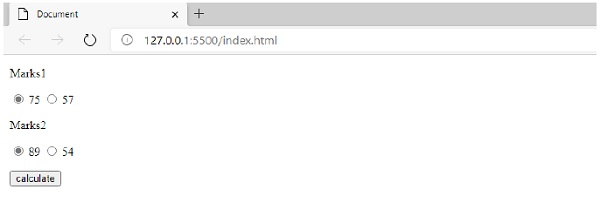
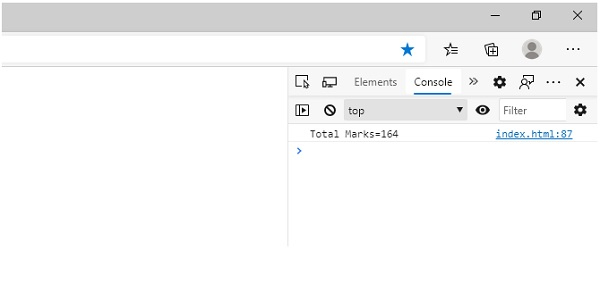
点击"计算"按钮。您将在控制台上看到以下输出 −