
如何使用 Tensorflow 显示来自猫和狗输入数据集的样本数据?
tensorflowserver side programmingprogramming更新于 2025/5/20 0:52:17
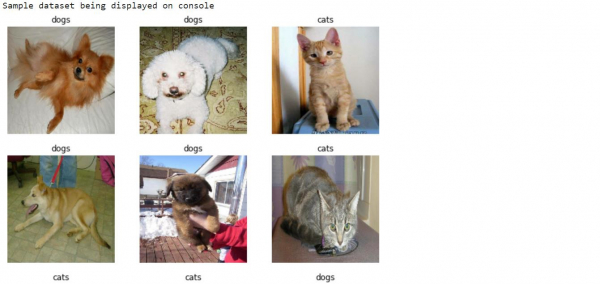
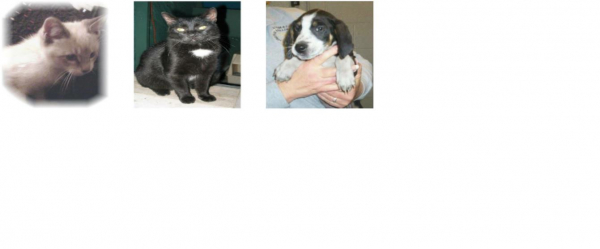
借助 ‘matplotlib’ 库,可以使用 Tensorflow 显示来自猫和狗输入数据集的样本数据。‘imshow’方法可用于在控制台上显示图像。
阅读更多: 什么是 TensorFlow,以及 Keras 如何与 TensorFlow 配合使用来创建神经网络?
我们将了解如何借助预训练网络的迁移学习对猫和狗的图像进行分类。
图像分类迁移学习背后的直觉是,如果在大型通用数据集上训练模型,则该模型可有效地用作视觉世界的通用模型。它会学习特征图,这意味着用户不必从头开始在大型数据集上训练大型模型。
阅读更多: 如何预先训练定制模型?
我们使用 Google Colaboratory 运行以下代码。Google Colab 或 Colaboratory 有助于在浏览器上运行 Python 代码,并且不需要任何配置,并且可以免费访问 GPU(图形处理单元)。Colaboratory 是在 Jupyter Notebook 之上构建的。
示例
class_names = train_dataset.class_names
print("Sample dataset being displayed on console")
plt.figure(figsize=(10, 10))
for images, labels in train_dataset.take(1):
   for i in range(9):
      ax = plt.subplot(3, 3, i + 1)
      plt.imshow(images[i].numpy().astype("uint8"))
      plt.title(class_names[labels[i]])
      plt.axis("off")
代码来源 −https://www.tensorflow.org/tutorials/images/transfer_learning
输出
解释
图像被迭代,并且图像样本显示在控制台上。

