
如何在 Tkinter 中使用 PIL?
tkinterpythongui-programming更新于 2025/9/12 23:08:17
Python 中的 PIL 或 Pillow 包提供了一种在程序中处理图像的方法。我们可以打开图像、操纵图像以用于不同用途,还可以使用它来可视化数据。为了在 Tkinter 中使用 PIL 包,您必须在您的环境中安装 Python Pillow 库。
要安装 Pillow,只需输入 pip install pillow。安装成功后,您可以在项目中导入模块并使用它进行进一步的实现。
示例
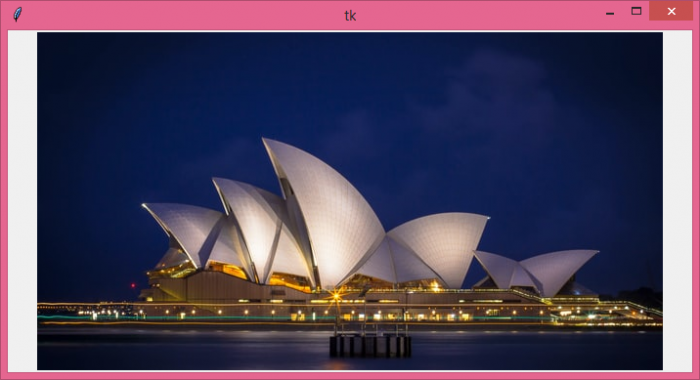
在此示例中,我们使用 Python Pillow 包在画布小部件中显示了一个图像。
# 导入所需的库
from tkinter import *
from PIL import Image, ImageTk

# 创建 tkinter 框架或窗口的实例
win=Tk()

# 设置窗口的大小
win.geometry("700x350")

# 创建画布小部件
canvas=Canvas(win, width=700, height=350)
canvas.pack()

# 加载图像
img=ImageTk.PhotoImage(file="opera.jpg")

# 在画布中添加图像
canvas.create_image(350, 200, image=img, anchor="center")

win.mainloop()
输出
如果我们运行上面的代码,它将在窗口中显示一个图像。
相关文章
有用资源
python 参考教程 - 该教程包含有关 python 的更多信息:https://www.cainiaomax.com/python/

