如何使用 Selenium 在框架内执行 JavaScript?
software testingautomation testingselenium web driver
我们可以使用 Selenium 在框架内运行 JavaScript。它可以通过 executeScript 方法运行 JavaScript 命令。要执行的命令将作为参数传递给该方法。
接下来,我们必须使用 return 关键字返回 JavaScript 命令的值。我们需要借助 JavaScript 中的 window.length 命令来计算页面中的框架数量。
语法
JavascriptExecutor j = (JavascriptExecutor) driver;
int i = Integer.parseInt(j.executeScript("return window.length").toString());
示例
import org.openqa.selenium.By;
import org.openqa.selenium.WebDriver;
import org.openqa.selenium.WebElement;
import org.openqa.selenium.chrome.ChromeDriver;
import java.util.concurrent.TimeUnit;
import org.openqa.selenium.JavascriptExecutor;
public class FramesJS{
   public static void main(String[] args) {
         System.setProperty("webdriver.chrome.driver","C:\Users\ghs6kor\Desktop\Java\chromedriver.exe");
      WebDriver driver = new ChromeDriver();
      driver.get("http://www.uitestpractice.com/Students/Switchto");
      driver.manage().timeouts().implicitlyWait(4, TimeUnit.SECONDS);
      // Javascript 执行器返回帧计数值
      JavascriptExecutor j = (JavascriptExecutor) driver;
      int i = Integer.parseInt
      (j.executeScript("return window.length").toString());
      System.out.print("Frame count is: " +i);
      // 切换到框架并获取框架内的文本
      driver.switchTo().frame("iframe_a");
      WebElement l = driver.findElement(By.cssSelector("h1"));
      System.out.print("Text within frame: " + l.getText());
      driver.quit();
   }
}
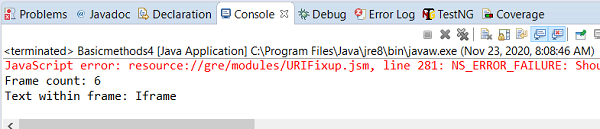
输出