
元素如何在 HTML 中浮动?
cssweb developmentfront end technology更新于 2025/1/10 11:56:17
我们可以使用 CSS float 属性将元素浮动到包含父元素的左侧或右侧。其他元素将放置在浮动内容的周围。
启用相同 float 属性值的多个元素将全部相邻放置。
示例
让我们看一个 CSS Float 属性的示例 −
<!DOCTYPE html>
<html>
<head>
<title>CSS Float</title>
<style>
form {
   width:70%;
   margin: 0 auto;
   text-align: center;
}
input[type="button"] {
   border-radius: 10px;
}
#container {
   display: flex;
   flex-direction: column-reverse;
   justify-content: center;
   align-items: center;
}
.child{
   height: 40px;
   width: 40px;
   color: white;
   border: 4px solid black;
}
.orange{
background-color: #FF8A00;
}
.red{
   background-color: #F44336;
}
.violet{
   background-color: #C303C3;
}
.green{
   background-color: #4CAF50;
}
.blue{
   background-color: #03A9F4;
}
.yellow{
   background-color: #FEDC11;
}
#left{
   display: flex;
   float: left;
}
#right{
   display: flex;
   float: right;
}
</style>
</head>
<body>
<form>
<fieldset>
<legend>CSS-Float</legend>
<div id="container">
<div class="child orange"></div><div class="child red"></div><div class="child violet"></div><div class="child green"></div><div class="child blue"></div><div class="child yellow"></div>
</div><br>
<input type="button" value="float-->left" onclick="floatDecider('left')">
<input type="button" value="float-->right" onclick="floatDecider('right')">
<div><div id="left"></div><div id="right"></div></div>
</fieldset>
</form>
<script>
var left = document.getElementById('left');
var right = document.getElementById('right');
function floatDecider(direction){
   var allChildren = document.getElementsByClassName('child');
   if(direction === 'left')
      left.insertAdjacentElement('beforeend',allChildren[0]);
   else
      right.insertAdjacentElement('afterbegin',allChildren[0]);
}
</script>
</body>
</html>
输出
点击任何按钮之前 −
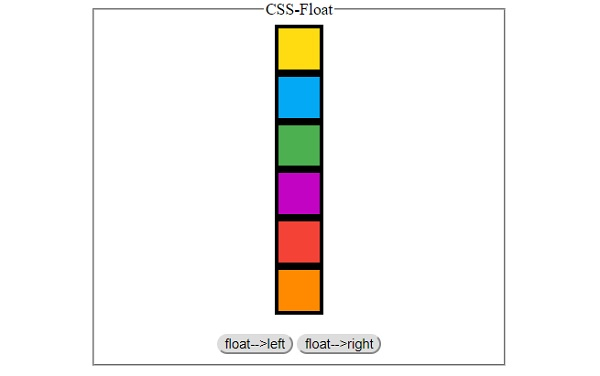
点击‘float-->left’按钮四次 −
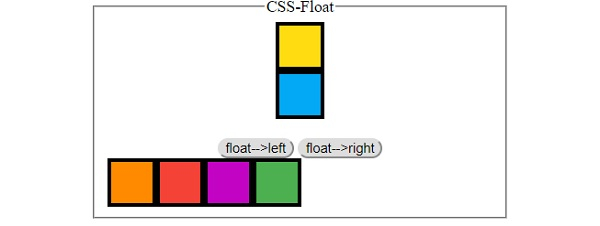
点击‘float-->right’按钮 −
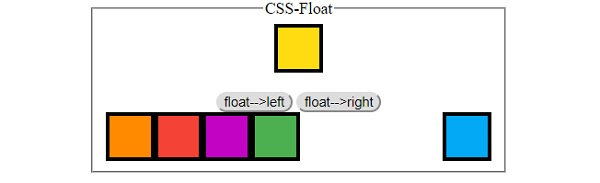
相关文章
有用资源
css 参考教程 - 该教程包含有关 css 的更多信息:https://www.cainiaomax.com/css/

