
如何在 JavaFX 中向文本节点添加模糊效果?
javaobject oriented programmingprogramming更新于 2025/10/9 21:00:17
您可以使用 setEffect() 方法向 JavaFX 中的任何节点对象添加效果。此方法接受 Effect 类的对象并将其添加到当前节点。
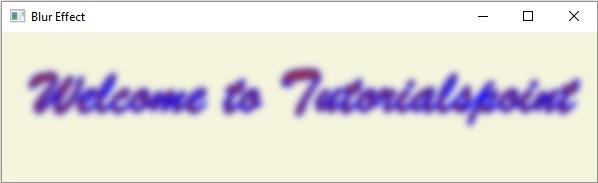
javafx.scene.effect.GaussianBlur.GaussianBlur 类表示内部使用高斯卷积核的模糊效果。因此,要向文本节点添加模糊效果 −
实例化 Text 类,绕过基本的 x、y 坐标(位置)和文本字符串作为构造函数的参数。
设置所需的属性,如字体、笔触等。
通过实例化 GaussianBlur 类来创建模糊效果。
使用 setEffect() 方法将创建的效果设置为文本节点。
最后,将创建的文本节点添加到 Group 对象。
示例
import java.io.FileNotFoundException; import javafx.application.Application; import javafx.scene.Group; import javafx.scene.Scene; import javafx.scene.effect.GaussianBlur; import javafx.scene.paint.Color; import javafx.stage.Stage; import javafx.scene.text.Font; import javafx.scene.text.FontPosture; import javafx.scene.text.FontWeight; import javafx.scene.text.Text; public class TextBlurEffect extends Application { public void start(Stage stage) throws FileNotFoundException { //创建文本对象 String str = "Welcome to Tutorialspoint"; Text text = new Text(30.0, 80.0, str); //设置字体 Font font = Font.font("Brush Script MT", FontWeight.BOLD, FontPosture.REGULAR, 65); text.setFont(font); //设置文本的颜色 text.setFill(Color.BROWN); //设置描边的宽度和颜色 text.setStrokeWidth(2); text.setStroke(Color.BLUE); //为文本设置模糊效果 GaussianBlur blur = new GaussianBlur(); text.setEffect(blur); //设置舞台 Group root = new Group(text); Scene scene = new Scene(root, 595, 150, Color.BEIGE); stage.setTitle("Blur Effect"); stage.setScene(scene); stage.show(); } public static void main(String args[]){ launch(args); } }输出
相关文章
有用资源
java 参考教程 - 该教程包含有关 java 的更多信息:https://www.cainiaomax.com/java/

