
如何在 JavaFX 中调整文本的对齐方式?
javaobject oriented programmingprogramming更新于 2025/10/12 9:48:17
您可以通过将值设置为 wrappingWidth 属性来为用户空间中的文本设置固定宽度。一旦您这样做,给定的宽度将被视为用户坐标中文本的边界,并且文本将按给定的宽度排列。
如果您没有为此属性指定任何值,则默认情况下,文本中最长行的长度将被视为边界框的宽度。
文本对齐是文本在边界框内的水平排列。您可以使用 setTextAlignment() 方法调整文本的对齐方式。此方法接受名为 TextAlignment 的枚举常量之一并相应地调整文本。此枚举提供 3 个常量 −
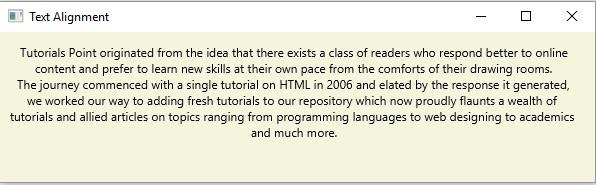
CENTER −将文本与边界框的中心对齐。
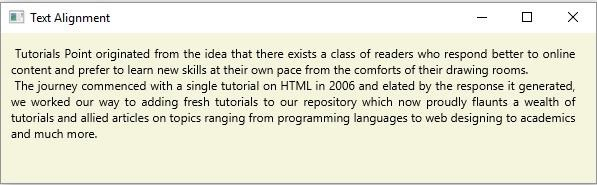
JUSTIFY − 在边界框内对齐文本。
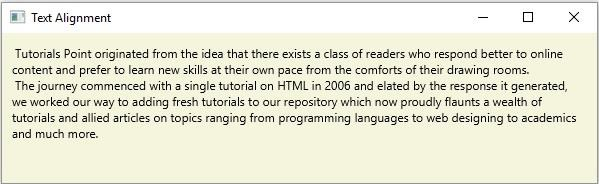
LEFT − 将文本与左对齐。
RIGHT − 将文本与右对齐。
示例
import java.io.FileInputStream;
import java.io.FileNotFoundException;
import java.io.InputStream;
import java.util.Scanner;
import javafx.application.Application;
import javafx.scene.Group;
import javafx.scene.Scene;
import javafx.scene.paint.Color;
import javafx.stage.Stage;
import javafx.scene.text.Text;
import javafx.scene.text.TextAlignment;
public class TextAllignment extends Application {
   public void start(Stage stage) throws FileNotFoundException {
      //读取文本文件的内容。
      InputStream inputStream = new FileInputStream("D:\sample.txt");
      Scanner sc = new Scanner(inputStream);
      StringBuffer sb = new StringBuffer();
      while(sc.hasNext()) {
         sb.append(" "+sc.nextLine()+"\n");
      }
      //创建文本对象
      Text text = new Text(10.0, 25.0, sb.toString());
      //换行
      text.setWrappingWidth(565);
      //设置对齐方式
      text.setTextAlignment(TextAlignment.Right);
      //设置舞台
      Group root = new Group(text);
      Scene scene = new Scene(root, 595, 150, Color.BEIGE);
      stage.setTitle("Text Alignment");
      stage.setScene(scene);
      stage.show();
   }
   public static void main(String args[]){
      launch(args);
   }
}
sample.txt
假设以下是sample.txt文件的内容 −
Tutorials Point originated from the idea that there exists a class of readers who respond better
to online content and prefer to learn new skills at their own pace from the comforts of their drawing rooms.
The journey commenced with a single tutorial on HTML in 2006 and elated by the response it generated,
we worked our way to adding fresh tutorials to our repository which now proudly flaunts a wealth of
tutorials and allied articles on topics ranging from programming languages to web designing to academics
and much more.
输出
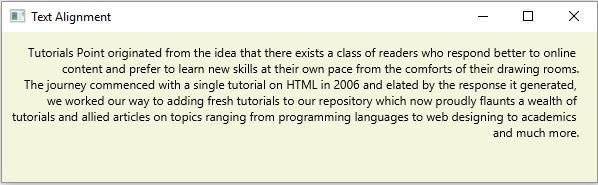
同样,如果您更改对齐值,您将获得相应的输出,即 −
LEFT −
CENTER −
JUSTIFY −
相关文章
有用资源
java 参考教程 - 该教程包含有关 java 的更多信息:https://www.cainiaomax.com/java/

