
如何绑定 Esc 键以关闭 Tkinter 中的窗口?
tkinterpythongui-programming更新于 2025/6/19 16:44:17
Tkinter 事件对于使应用程序具有交互性和功能性非常有用。它提供了一种与应用程序内部功能交互的方法,并帮助我们在执行 Click 或 Keypress 事件时触发它们。
为了在 tkinter 中安排事件,我们通常使用 bind('Button',callback) 方法。我们可以绑定任何键来执行应用程序中的某些任务或事件。要绑定 Esc 键以使其关闭应用程序窗口,我们必须将 Key 和回调事件作为参数传递到 bind(key, callback) 方法中。
示例
# 导入所需的库
from tkinter import *
from tkinter import ttk

# 创建 tkinter 框架的实例
win = Tk()

# 设置 tkinter 窗口的大小
win.geometry("700x350")

# 定义组合框小部件的样式
style = ttk.Style()
style.theme_use('xpnative')

# 定义事件以关闭窗口
def close_win(e):
   win.destroy()
# 添加标签小部件
label = ttk.Label(win, text="Eat, Sleep, Code and Repeat", font=('Times New Roman italic', 18), background="black", foreground="white")
label.place(relx=.5, depend=.5, anchor=CENTER)
ttk.Label(win, text="Now Press the ESC Key to close this window", font=('Aerial 11')).pack(pady=10)

# 将 ESC 键与回调函数绑定
win.bind('<Escape>', lambda e: close_win(e))

win.mainloop()
输出
运行上述代码将显示一个窗口,按"Esc"键即可立即关闭。
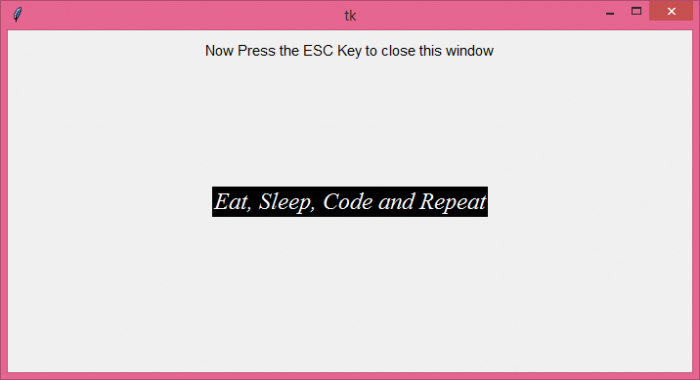
现在按<Esc> 键关闭窗口。
相关文章
有用资源
python 参考教程 - 该教程包含有关 python 的更多信息:https://www.cainiaomax.com/python/

