如何在 JavaFX 中创建对话框?
javafxobject oriented programmingprogramming更新于 2025/6/7 23:40:17
对话框是一种图形元素,即向窗口显示信息并接收响应的窗口。您可以通过实例化 javafx.scene.control.Dialog 类来创建对话框。
示例
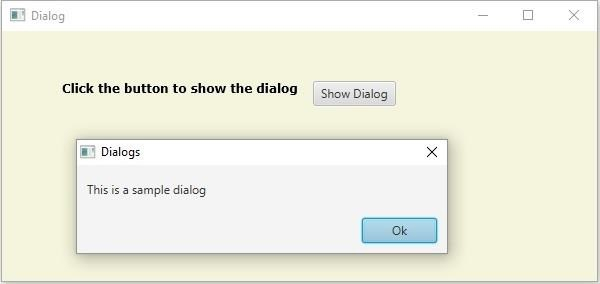
以下示例演示了如何创建 对话框。
import javafx.application.Application;
import javafx.geometry.Insets;
import javafx.scene.Group;
import javafx.scene.Scene;
import javafx.scene.control.Button;
import javafx.scene.control.ButtonBar.ButtonData;
import javafx.scene.control.ButtonType;
import javafx.scene.control.Dialog;
import javafx.scene.layout.HBox;
import javafx.stage.Stage;
import javafx.scene.paint.Color;
import javafx.scene.text.Font;
import javafx.scene.text.FontPosture;
import javafx.scene.text.FontWeight;
import javafx.scene.text.Text;
public class DialogExample extends Application {
   @Override
   public void start(Stage stage) {
      //创建对话框
      Dialog<String> dialog = new Dialog<String>();
      //设置标题
      dialog.setTitle("Dialog");
      ButtonType type = new ButtonType("Ok", ButtonData.OK_DONE);
      //设置对话框的内容
      dialog.setContentText("This is a sample dialog");
      //向对话框窗格添加按钮
      dialog.getDialogPane().getButtonTypes().add(type);
      //设置标签
      Text txt = new Text("单击按钮显示对话框");
      Font font = Font.font("verdana", FontWeight.BOLD, FontPosture.REGULAR, 12);
      txt.setFont(font);
      //创建按钮
      Button button = new Button("显示对话框");
      //单击按钮时显示对话框
      button.setOnAction(e -> {
         dialog.showAndWait();
      });
      //创建一个 vbox 来容纳按钮和标签
      HBox pane = new HBox(15);
      //设置 HBox 窗格节点之间的空间
      pane.setPadding(new Insets(50, 150, 50, 60));
      pane.getChildren().addAll(txt, button);
      //创建场景对象
      Scene scene = new Scene(new Group(pane), 595, 250, Color.BEIGE);
      stage.setTitle("Dialog");
      stage.setScene(scene);
      stage.show();
   }
   public static void main(String args[]){
      launch(args);
   }
}
输出