
如何使用 CSS 创建固定社交媒体图标栏?
cssweb developmentfront end technology更新于 2025/9/28 0:44:17
以下是使用 CSS 制作固定社交媒体图标栏的代码 −
示例
<!DOCTYPE html>
<html>
<head>
<link href="https://stackpath.bootstrapcdn.com/font-awesome/4.7.0/css/font-awesome.min.css" rel="stylesheet"
   integrity="sha384-wvfXpqpZZVQGK6TAh5PVlGOfQNHSoD2xbE+QkPxCAFlNEevoEH3Sl0sibVcOQVnN" crossorigin="anonymous" />
<style>
*,
*::before,
*::after {
   box-sizing: border-box;
}
main {
   margin-left: 300px;
}
.SocialBar {
   position: fixed;
   display: block;
   top: 30%;
   font-size: 0;
   width: 200px;
   border: 2px solid darkgreen;
   box-shadow: 5px 10px 18px rgb(55, 173, 39);
}
button {
   display: block;
   width: 100%;
   margin: 0px;
   border: none;
   padding: 15px;
   font-family: "Segoe UI", Tahoma, Geneva, Verdana, sans-serif;
   font-weight: bold;
   font-size: 20px;
}
button:not(:last-child) {
   border-bottom: 2px solid rgb(6, 134, 49);
}
button:hover {
   background: black;
   box-shadow: 5px 10px 18px rgb(20, 20, 20);
}
</style>
</head>
<body>
<div class="SocialBar">
<button><i class="fa fa-facebook-f" style="color:#3B5998"></i></button>
<button><i class="fa fa-hashtag" style="color:#55ACEE"></i></button>
<button><i class="fa fa-linkedin" style="color:#007bb5"></i></button>
</div>
<main>
<h1>Social Media Links</h1>
<h2>Hover over the above links to see hover effects</h2>
<h2>Visit us on any of the above social media</h2>
<h3>Lorem ipsum dolor sit amet, consectetur adipiscing elit. In fringilla, enim a fringilla semper,
neque eros aliquam massa, ut porta arcu justo et metus. In aliquet justo non lorem condimentum,
in rutrum lorem vestibulum. Aliquam et ornare tellus. Mauris eu nisi ac ante vestibulum fermentum
ac nec enim. Integer sed aliquet nisi. Nullam semper lorem sed sem gravida, in euismod urna posuere.
Cras porta neque non sapien maximus placerat. Morbi imperdiet faucibus orci. Maecenas eu ipsum metus.
</h3>
</main>
</body>
</html>
输出
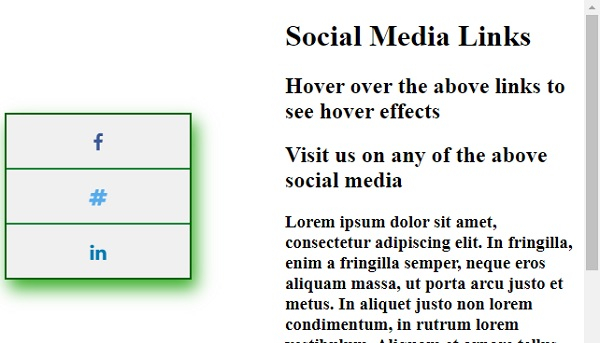
上述代码将产生以下输出 −
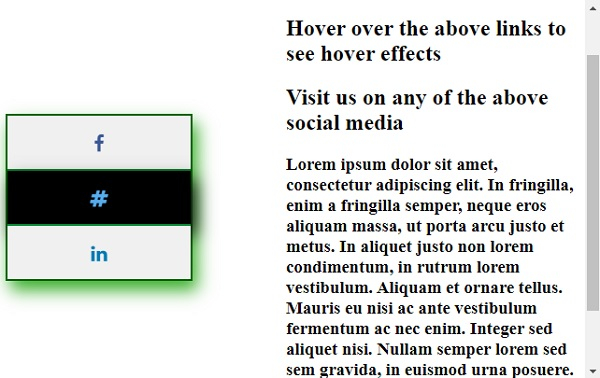
滚动页面并将鼠标悬停在某个社交媒体图标上时 −
相关文章
有用资源
css 参考教程 - 该教程包含有关 css 的更多信息:https://www.cainiaomax.com/css/

