如何使用 Java 中的 File 对象创建新目录?
java 8object oriented programmingprogramming更新于 2025/9/19 22:36:17
java.io 包中的 File 类表示系统中的文件或目录(路径名)。此类提供各种方法来对文件/目录执行各种操作。
创建新目录
此类的 mkdir() 方法使用当前对象所表示的路径创建一个目录。
因此,要创建目录 −
- 通过将您需要创建的目录的路径作为参数 (String) 传递来实例化 File 类。
- 使用上面创建的文件对象调用 mkdir() 方法。
示例
以下 Java 示例从用户处读取要创建的目录的路径和名称,并创建它。
import java.io.File;
import java.util.Scanner;
public class CreateDirectory {
   public static void main(String args[]) {
      System.out.println("Enter the path to create a directory: ");
      Scanner sc = new Scanner(System.in);
      String path = sc.next();
      System.out.println("Enter the name of the desired a directory: ");
      path = path+sc.next();
      //创建 File 对象
      File file = new File(path);
      //创建目录
      boolean bool = file.mkdir();
      if(bool){
         System.out.println("Directory created successfully");
      }else{
         System.out.println("Sorry couldn’t create specified directory");
      }
   }
}
输出
Enter the path to create a directory:
D:\
Enter the name of the desired a directory:
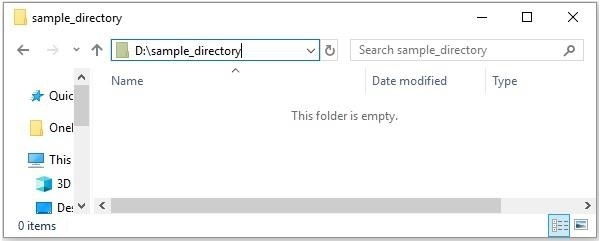
sample_directory
Directory created successfully
如果您验证,您可以观察到创建的目录为 −
但是,如果您在驱动器中指定不存在的路径,则此方法将不会创建所需的目录。
例如,如果我的(Windows)系统的D驱动器为空,并且我将要创建的目录的路径指定为−
D:\test\myDirectories\sample_directory
如果不存在 test 和 myDirectories 文件夹,则 mkdir() 方法将不会创建它。
创建目录层次结构
要创建新目录的层次结构,您可以使用同一类的方法mkdirs()。此方法使用当前对象所表示的路径创建目录,包括不存在的父目录。
示例
import java.io.File;
import java.util.Scanner;
public class CreateDirectory {
   public static void main(String args[]) {
      System.out.println("Enter the path to create a directory: ");
      Scanner sc = new Scanner(System.in);
      String path = sc.next();
      System.out.println("Enter the name of the desired a directory: ");
      path = path+sc.next();
      //创建 File 对象
      File file = new File(path);
      //创建目录
      boolean bool = file.mkdirs();
      if(bool){
         System.out.println("Directory created successfully");
      }else{
         System.out.println("Sorry couldnt create specified directory");
      }
   }
}
输出
Enter the path to create a directory:
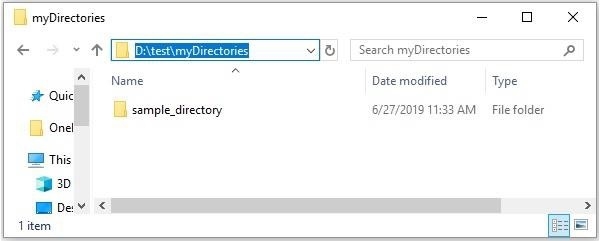
D:\test\myDirectories\
Enter the name of the desired a directory:
sample_directory
Directory created successfully
如果您验证,您可以观察到创建的目录为 −