
如何使用 CSS 创建平滑滚动效果?
cssweb developmentfront end technology更新于 2025/12/3 5:00:17
使用 CSS 创建平滑滚动效果,代码如下 −
示例
<!DOCTYPE html>
<html>
<head>
<style>
   html {
      scroll-behavior: smooth;
   }
   * {
      box-sizing: border-box;
   }
   body {
      font-family: "Segoe UI", Tahoma, Geneva, Verdana, sans-serif;
      margin: 0px;
      padding: 0px;
   }
   #firstSection {
      height: 100vh;
      background-color: rgb(119, 77, 219);
      color: white;
      padding: 20px;
   }
   #secondSection {
      height: 100vh;
      color: white;
      background-color: rgb(42, 128, 168);
      padding: 20px;
   }
   a {
      text-decoration: none;
      font-size: 20px;
      font-weight: bold;
      color: yellow;
   }
</style>
</head>
<body>
<h1>Smooth Scroll Example</h1>
<div id="firstSection">
<h2>Section 1</h2>
<p>Click on the link to see the "smooth" scrolling effect.</p>
<a href="#secondSection">Click Here to Smooth Scroll to Section 2 Below</a>
</div>
<div id="secondSection">
<h2>Section 2</h2>
<a href="#firstSection">Click Me to Smooth Scroll to Section 1 Above</a>
</div>
</body>
</html>
输出
上述代码将产生以下输出 −
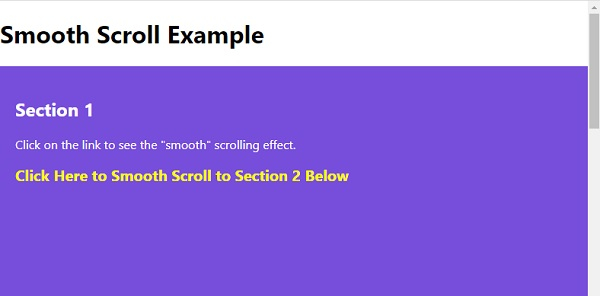
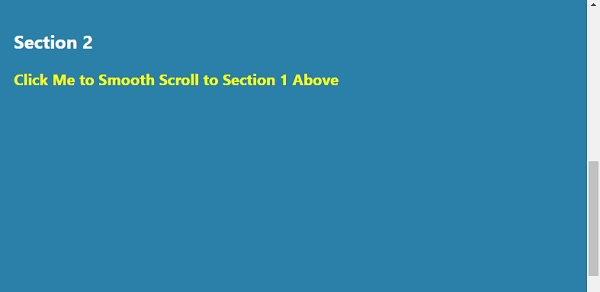
点击平滑滚动文本,我们将平滑滚动到第 2 部分 −
相关文章
有用资源
css 参考教程 - 该教程包含有关 css 的更多信息:https://www.cainiaomax.com/css/

