
如何使用 JavaScript 创建打字效果?
javascriptweb developmentobject oriented programming更新于 2025/12/16 14:04:17
使用 JavaScript 创建打字效果,代码如下 −
示例
<!DOCTYPE html>
<html>
<head>
<style>
   body{
      font-family: 'Segoe UI', Tahoma, Geneva, Verdana, sans-serif;
   }
   button{
      padding:10px;
      font-size: 18px;
      background-color: rgb(128, 19, 218);
      color:white;
      border:none;
   }
   .heading{
      color:crimson;
   }
</style>
</head>
<body>
<h1>typeText</h1>
<button class="typeButton">Click me</button>
<h2 class="heading"></h2>
<script>
   document.querySelector('.typeButton').addEventListener('click',typeText);
   var i = 0;
   var text = 'This text is currently being typed across... It is still typing..';
   var speed = 50;
   function typeText() {
      if (i < text.length) {
         document.querySelector('.heading').innerHTML += text.charAt(i);
         i++;
         setTimeout(typeText, speed);
      }
   }
</script>
</body>
</html>
输出
上述代码将产生以下输出 −
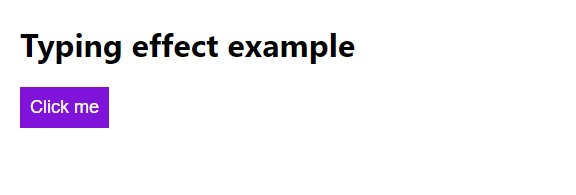
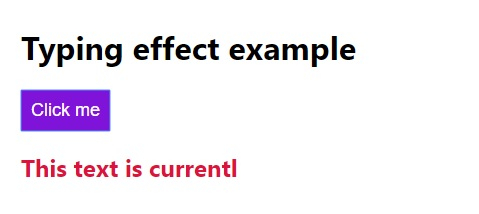
点击“Click me”按钮 −
相关文章
有用资源
javascript 参考教程 - 该教程包含有关 javascript 的更多信息:https://www.cainiaomax.com/javascript/

