如何使用 Selenium WebDriver 处理 ModalDialog?
software testingautomation testingselenium web driver
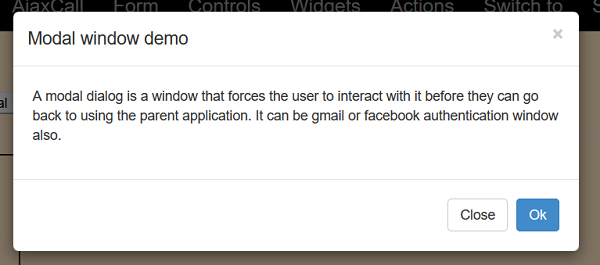
我们可以使用 Selenium 处理模态对话框。模态对话框就像一个窗口,强制用户在返回实际页面之前访问它。它也可以用作身份验证窗口。
让我们使用下面的模态对话框 −
示例
import org.openqa.selenium.By;
import org.openqa.selenium.WebDriver;
import org.openqa.selenium.WebElement;
import org.openqa.selenium.chrome.ChromeDriver;
public class ModDialog{
   public static void main(String[] args) {
      System.setProperty("webdriver.chrome.driver","C:\Users\ghs6kor\Desktop\Java\chromedriver.exe");
      WebDriver driver = new ChromeDriver();
      driver.get("http://www.uitestpractice.com/Students/Switchto");
      // 识别元素并点击
      WebElement m = driver
      .findElement(By.xpath("//button[contains(text(), 'Launch modal')]"));
      // 识别模态框标题并获取文本
      WebElement m=
      driver.findElement(By.xpath("//h4[@class='modal−title']"));
      System.out.println("Modal Dialog text: " + m.getText());
      // 点击确定
      WebElement n= driver.findElement(By.xpath("//button[text()='Ok']"));
      n.click();
      driver.quit();
   }
}
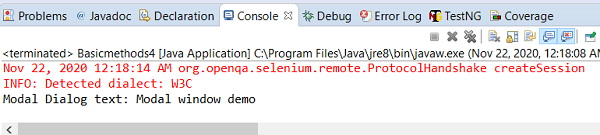
输出