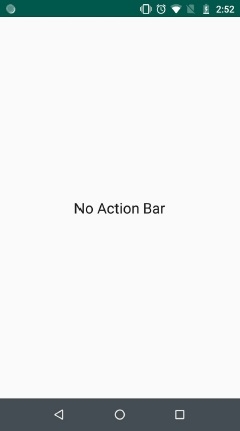
如何在 Android 中永久禁用操作栏?
androidapps/applicationsmobile development更新于 2026/2/15 5:22:17
此示例演示了如何在 Android 中永久禁用操作栏。
步骤 1 − 在 Android Studio 中创建一个新项目,前往"文件"->"新建项目",并填写所有必填信息以创建新项目。
步骤 2 − 将以下代码添加到 res/layout/activity_main.java
<? xml version= "1.0" encoding= "utf-8" ?>
<RelativeLayout xmlns: android = "http://schemas.android.com/apk/res/android"
   xmlns: tools = "http://schemas.android.com/tools"
   android :layout_width= "match_parent"
   android :layout_height= "match_parent"
   android :orientation= "vertical"
   tools :context= ".MainActivity" >
   <TextView
      android :layout_width= "match_parent"
      android :layout_height= "wrap_content"
      android :layout_centerInParent= "true"
      android :gravity= "center"
      android :text= "No Action Bar"
      android :textAppearance= "@style/Base.TextAppearance.AppCompat.Large" />
</RelativeLayout>
步骤 3 − 将以下代码添加到 src/MainActivity.java
package app.tutorialspoint.com.sample ;
import android.os.Bundle ;
import android.support.v7.app.AppCompatActivity ;
public class MainActivity extends AppCompatActivity {
   @Override
   protected void onCreate (Bundle savedInstanceState) {
      super .onCreate(savedInstanceState) ;
      setContentView(R.layout. activity_main ) ;
   }
}
步骤 4 − 将以下代码添加到 res/values/styles.xml
<resources>
   <!-- Base application theme. -->
   <style name= "AppTheme" parent= "Theme.AppCompat.Light.DarkActionBar" >
      <!-- Customize your theme here. -->
      <item name= "colorPrimary" > @color/colorPrimary </item>
      <item name= "colorPrimaryDark" > @color/colorPrimaryDark </item>
      <item name= "colorAccent" > @color/colorAccent </item>
   </style>
   <style name= "AppTheme.NoActionBar" >
      <item name= "windowActionBar" > false </item>
      <item name= "windowNoTitle" > true </item>
   </style>
</resources>
步骤 5 − 将以下代码添加到 AndroidManifest.xml
<? xml version= "1.0" encoding= "utf-8" ?>
<manifest xmlns: android = "http://schemas.android.com/apk/res/android"
   package= "app.tutorialspoint.com.sample" >
   <uses-permission android :name= "android.permission.VIBRATE" />
   <application
      android :allowBackup= "true"
      android :icon= "@mipmap/ic_launcher"
      android:label= "@string/app_name"
      android:roundIcon= "@mipmap/ic_launcher_round"
      android:supportsRtl= "true"
      android:theme= "@style/AppTheme" >
      <activity android:name= ".MainActivity" >
         <intent-filter>
            <action android:name= "android.intent.action.MAIN" />
            <category android:name= "android.intent.category.LAUNCHER" />
         </intent-filter>
      </activity>
   </application>
</manifest>
让我们尝试运行您的应用程序。假设您已将实际的 Android 移动设备连接到电脑。要从 Android Studio 运行该应用程序,请打开项目的某个活动文件,然后点击工具栏上的"运行"图标  。选择您的移动设备作为选项,然后勾选将显示默认屏幕的移动设备 –