
如何使用 jQuery 在容器 div 中拖动/平移图像?
cssjqueryweb developmentfront end technology更新于 2024/9/5 21:00:17
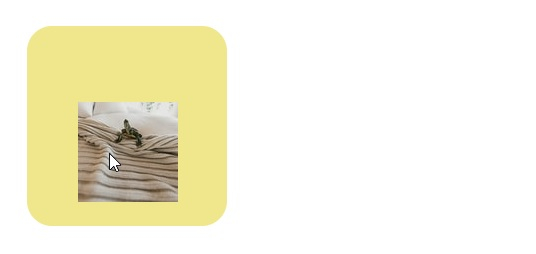
借助 mousedown、mouseup 和 mousemove 等事件,我们可以平移图像,从而创建拖动效果。
以下示例展示了如何使用 jQuery 移动图像。
示例
<!DOCTYPE html>
<html>
<head>
<style>
#parent{
   position: absolute;
   margin: 20px;
   width: 200px;
   height: 200px;
   border-radius: 25px;
   background-color: khaki;
}
#mover {
   position: relative;
   margin: 10px;
}
</style>
</head>
<body>
<div id=parent>
<img id="mover" src="https://images.unsplash.com/photo-1613333238609-
ef9218f3ddbd?crop=entropy&cs=tinysrgb&fit=crop&fm=jpg&h=100&ixlib=rb1.2.1&q=80&w=100" />
</div>
<script src="https://code.jquery.com/jquery-3.5.1.min.js"></script>
<script>
let ele = {startPositionX:0,startPositionY:0};
let disp = {x:0,y:0};
$('#parent').on("mousedown",function(e){
   let container = $(this);
   ele.startPositionX=e.pageX-disp.x;
   ele.startPositionY=e.pageY-disp.y;
   $(document).on("mousemove",function(e){
      disp.x=e.pageX-ele.startPositionX;
      disp.y=e.pageY-ele.startPositionY;
      $('#mover').css('transform','scale('+1.0+') translate('+disp.x+'px, '+disp.y+'px)');
   });
});
$(document).on("mouseup",function(){
   $(this).off("mousemove");
});
</script>
</body>
</html>
输出
这将产生以下结果 −
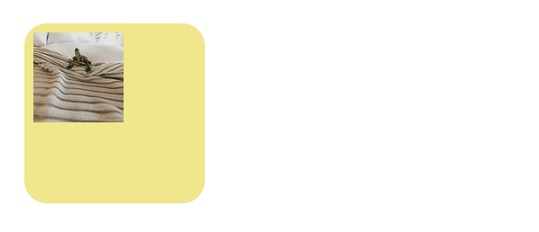
拖动
相关文章
有用资源
css 参考教程 - 该教程包含有关 css 的更多信息:https://www.cainiaomax.com/css/

