
如何在 Python tkinter 画布上绘制 png 图像?
tkinterpythongui-programming更新于 2025/9/12 20:28:17
为了在 tkinter 中处理图像,Python 提供了 PIL 或 Pillow 工具包。它有许多内置函数可用于操作不同格式的图像。
要在画布小部件中打开图像,我们必须使用 create_image(x, y, image, **options) 构造函数。当我们将 Image 值传递给构造函数时,它将在画布中显示图像。
示例
# 导入所需的库
from tkinter import *
from PIL import Image, ImageTk

# 创建 tkinter 框架或窗口的实例
win=Tk()

# 设置窗口的大小
win.geometry("700x600")

# 创建画布小部件
canvas=Canvas(win, width=700, height=600)
canvas.pack()

# 加载图像
img=ImageTk.PhotoImage(file="Monalisa.png")

# 在画布中添加图像
canvas.create_image(350, 400, image=img, anchor="center")

win.mainloop()
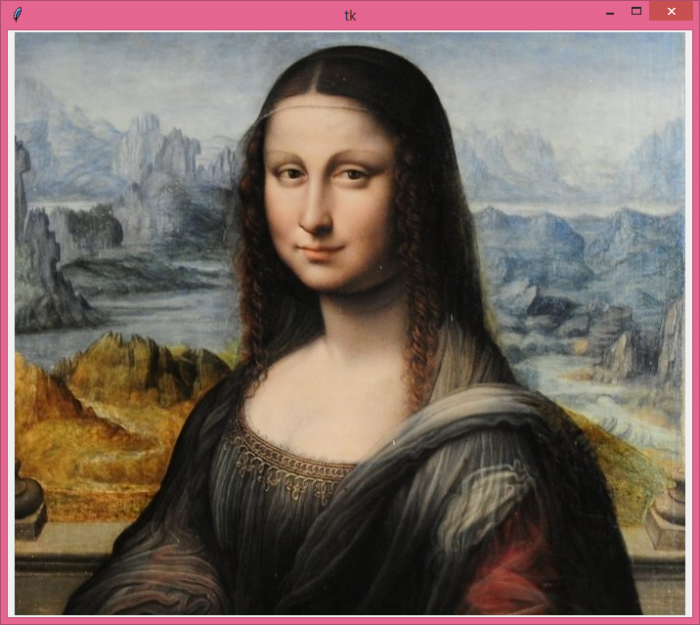
输出
运行上述代码将显示一个包含画布中图像的窗口。
相关文章
有用资源
python 参考教程 - 该教程包含有关 python 的更多信息:https://www.cainiaomax.com/python/

