
如何使用 Python Turtle 库绘制不同的形状?
pythonnumpyserver side programmingprogramming更新于 2024/9/19 2:52:17
在此程序中,我们将使用 Python 中的 Turtle 库 绘制不同的形状。Turtle 是 Python 的一个功能,类似于绘图板,可让您命令海龟在其上进行绘制。我们要绘制的不同形状是正方形、矩形、圆形和六边形。
算法
步骤 1:将不同形状的边长作为输入。
步骤 2:使用不同的海龟方法(如 forward() 和 left())绘制不同的形状。
示例代码
import turtle
t = turtle.Turtle()

#SQUARE
side = int(input("Length of side: "))
for i in range(4):
   t.forward(side)
   t.left(90)

#RECTANGLE
side_a = int(input("边 a 的长度:"))
side_b = int(input("边 b 的长度:"))
t.forward(side_a)
t.left(90)
t.forward(side_b)
t.left(90)
t.forward(side_a)
t.left(90)
t.forward(side_b)
t.left(90)

#CIRCLE
radius = int(input("圆的半径:"))
t.circle(radius)

#HEXAGON
for i in range(6):
   t.forward(side)
   t.left(300)
输出
正方形: 边长:100矩形: 边 a 的长度:100 边 b 的长度:20
圆: 圆的半径:60
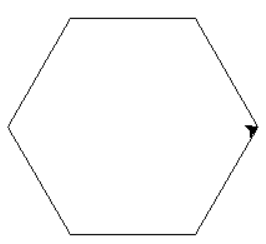
六边形:边长:100
相关文章
有用资源
python 参考教程 - 该教程包含有关 python 的更多信息:https://www.cainiaomax.com/python/

