如何使用 PowerShell 启用 Azure 存储 Blob 的软删除?
powershellmicrosoft technologiessoftware testing更新于 2026/2/12 17:37:17
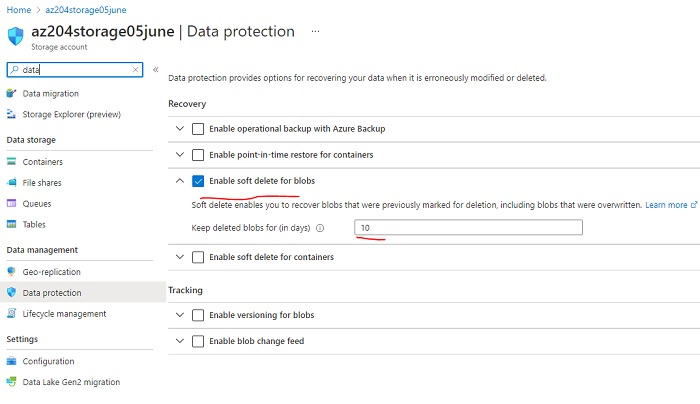
要使用 PowerShell 在存储帐户属性中启用 Azure 存储 Blob 的软删除,我们可以使用 Enable-AzureStorageDeleteRetentionPolicy 命令。我们需要在 Azure 门户中访问 Azure 存储帐户的"数据保护"属性。
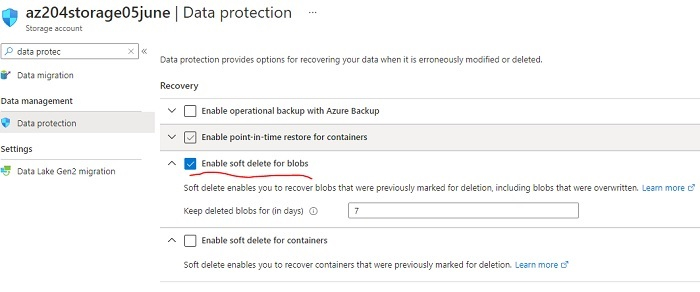
您还可以设置软删除数据的保留天数。要使用 Azure PowerShell 执行相同操作,我们需要使用 Enable-AzureStorageDeleteRetentionPolicy 命令。在运行此命令之前,您需要确保已连接到 Azure 云帐户(如果没有,请使用 Connect-AzAccount)和正确的 Azure 订阅(如果没有,请使用 Set-AzContext)。
要使用 Enable-AzureStorageDeleteRetentionPolicy,首先需要设置 Azure 存储上下文以与存储帐户配合使用。您可以使用以下命令设置上下文。
$rg = "az204"
$storageaccount = "az204storage05june"
$key = (Get-AzStorageAccountKey -ResourceGroupName $rg - Name $storageaccount)[0].Value
$context = New-AzStorageContext -StorageAccountName $storageaccount - StorageAccountKey $key
在上面的代码中,我们使用资源组 “az204” 和存储帐户名称 “az204storage05june” 来获取 Azure 存储上下文。获取上下文后,我们可以使用以下命令启用保留期为 10 天的软删除。
Enable-AzStorageDeleteRetentionPolicy -RetentionDays 10 -Context $context -
PassThru
输出
Enabled RetentionDays
------- -------------
True       10
Same you can check from the Azure Portal,