如何使用 PowerShell 生成 HTML 格式的多个报告?
software & codingmicrosoft technologiespowershell更新于 2026/2/12 18:07:17
要使用 PowerShell 在 HTML 文件中生成或附加多个输出,我们需要在 ConvertTo-HTML 命令中使用 - Fragment 参数。
例如,假设我们需要生成计算机利用率报告,其中包含耗电最多的 5 个进程、已停止的服务和磁盘利用率报告。只需将输出发送到 ConvertTo-HTML 管道命令即可生成单个报告。
示例
$Heading = "<h1><center>System Utilization Report</h1></center>"

$procs = Get-Process | Sort-Object -Property CPU -Descending| Select -
First 5 | `
   ConvertTo-Html -Property ProcessName, ID, CPU -Fragment -
PreContent "<h3>High Utilization Processes</h3>"

$services = Get-Service | where{$_.StartType -eq "Disabled"} | `
   ConvertTo-Html -Property Name, Status, StartType -Fragment -
PreContent "<h3>Disabled Services</h3>"

$disks = Get-WmiObject win32_logicaldisk | `
   Select DeviceID, @{N='FreeSpace(GB)';E={[math]::Round(($_.FreeSpace/1GB),2)}}
, `
   @{N='TotalSpace(GB)';E={[math]::Round(($_.Size/1GB),2)}} | `
   ConvertTo-Html -Fragment -PreContent "<h3>Disk Information</h3>"
ConvertTo-Html -Body "$Heading $procs $services $disks" | OutFile C:\Temp\SystemUtilizationReport.html

ii C:\Temp\SystemUtilizationReport.html
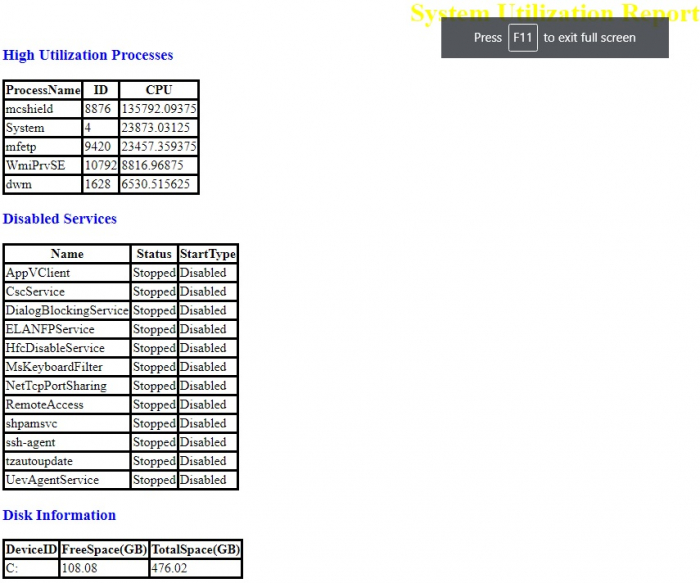
输出
要将 CSS 样式添加到报告中,
$Heading = "<h1><center>System Utilization Report</h1></center>"

$procs = Get-Process | Sort-Object -Property CPU -Descending| Select -
First 5 | `
   ConvertTo-Html -Property ProcessName, ID, CPU -Fragment -
PreContent "<h3>High Utilization Processes</h3>"

$services = Get-Service | where{$_.StartType -eq "Disabled"} | `
   ConvertTo-Html -Property Name, Status, StartType -Fragment -
PreContent "<h3>Disabled Services</h3>"

$disks = Get-WmiObject win32_logicaldisk | `
   Select DeviceID, @{N='FreeSpace(GB)';E={[math]::Round(($_.FreeSpace/1GB),2)}}
, `
   @{N='TotalSpace(GB)';E={[math]::Round(($_.Size/1GB),2)}} | `
   ConvertTo-Html -Fragment -PreContent "<h3>Disk Information</h3>"

ConvertTo-Html -Body "$Heading $procs $services $disks" -Head $cssstyle | OutFile C:\Temp\SystemUtilizationReport.html

ii C:\Temp\SystemUtilizationReport.html
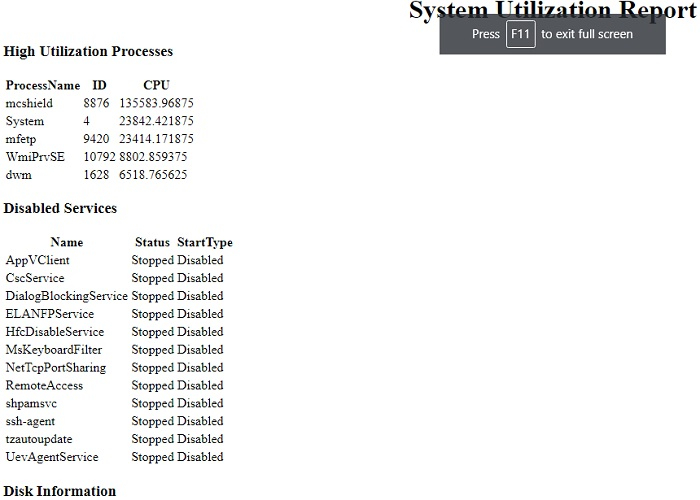
输出