
如何在 PowerShell 中使用 Azure CLI 获取所有可用的 Azure VM 镜像?
microsoft technologiespowershellsoftware & coding更新于 2026/2/12 13:52:17
要使用 Azure CLI 获取所有可用的 Azure VM 镜像,可以使用命令 az vm image。
以下命令将检索市场中所有可用的 Azure 镜像。
PS C:\> az vm image list --all
上述命令需要一些时间来检索输出。要将输出转换为表格格式,请使用以下命令。
PS C:\> az vm image list --all -otable
要从特定位置检索镜像,请使用 -l 或 --location 参数。
PS C:\> az vm image list -l eastus -otable
输出
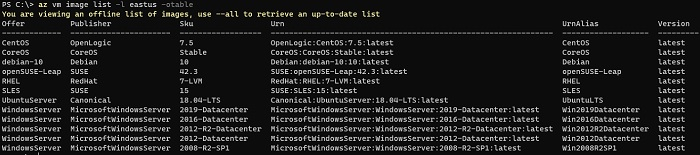
要从特定发布者获取虚拟机镜像,
PS C:\> az vm image list -l eastus -p MicrosoftWindowsServer --all -otable

