如何使用 PowerShell 获取文件夹大小?
powershellmicrosoft technologiessoftware & coding
我们首先使用 Get-ChildItem 命令检索文件夹的内容,然后按如下所示执行 Measure-Object 命令的管道操作。
Get-ChildItem C:\Temp\ -Recurse | Measure-Object -Property Length -Sum
输出
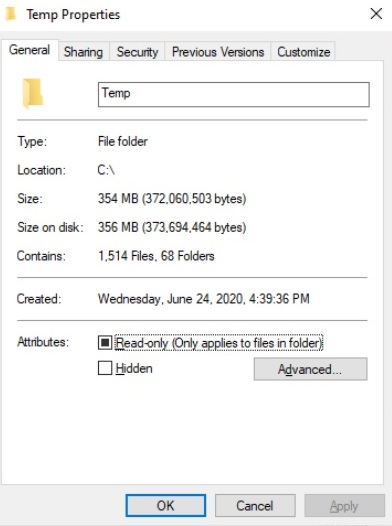
Count : 1514
Average :
Sum : 372060503
Maximum :
Minimum :
Property : Length
因此,上面的输出显示总共有 1514 个文件和文件夹,总和显示所有文件和文件夹的总大小(以 KB 为单位)。我们可以将其转换为 MB,如下所示。
(Get-ChildItem C:\Temp\ -Recurse | Measure-Object -Property Length -Sum).Sum / 1MB
354.824545860291
我们可以得到近似值,
[Math]::Round(
   ((Get-ChildItem C:\Temp\ -Recurse | Measure-Object -Property Length -Sum).Sum / 1MB),2
)
354.82
您可以在文件夹路径上检查相同内容。