
如何使用 PowerShell 获取 IIS 应用程序池队列长度?
powershellmicrosoft technologiessoftware & coding
要从 GUI 中检索应用程序池队列长度,您需要检查应用程序池的高级设置。
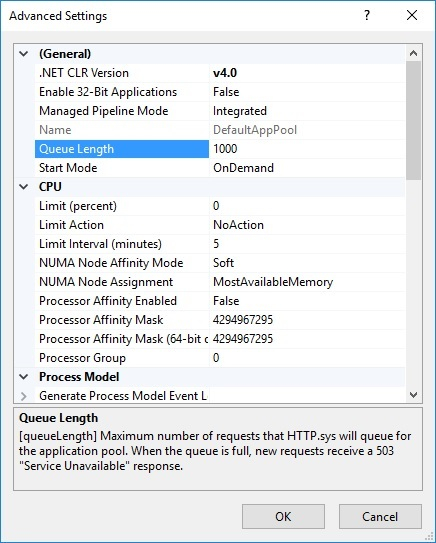
要使用 PowerShell 获取 IIS 应用程序池队列长度,首先,我们需要应用程序池名称。获取应用程序池名称后,有两种方法(可能还有其他方法)可以检索。
例如,我们需要检索应用程序池 DefaultAppPool 的队列长度。
(Get-IISAppPool -Name DefaultAppPool).queuelength
要运行上述命令,您需要 IISAdministration 模块。您也可以使用 IIS PS 驱动器,但需要加载 WebAdministration 模块。
(Get-ItemProperty IIS:\AppPools\DefaultAppPool).queuelength

