
如何在 Tkinter 中突出显示文本小部件的当前行?
tkinterpythongui-programming更新于 2025/9/14 15:08:17
我们可以使用 Tkinter 文本小部件来接受多行用户输入。我们可以插入文本、显示信息并从文本小部件中获取输出。
要突出显示文本小部件中当前选定的文本,我们可以使用 tag_add() 方法,该方法仅在当前文本中添加标签。
示例
# 导入所需的库
from tkinter import *

# 创建 tkinter 框架的实例
win=Tk()

# 设置几何图形
win.geometry("700x350")

# 添加文本小部件
text=Text(win, width=80, height=15, font=('Calibri 12'))

# 设置文本小部件的默认文本
text.insert(INSERT, "Tkinter 是一个用于创建基于 GUI 的应用程序的 Python 库。")
text.insert(END, "学习 Tkinter 是太棒了!!")

# 通过添加标签选择文本
text.tag_add("start", "1.0","1.7")
text.tag_configure("start", background="OliveDrab1", foreground="black")
text.pack()

win.mainloop()
输出
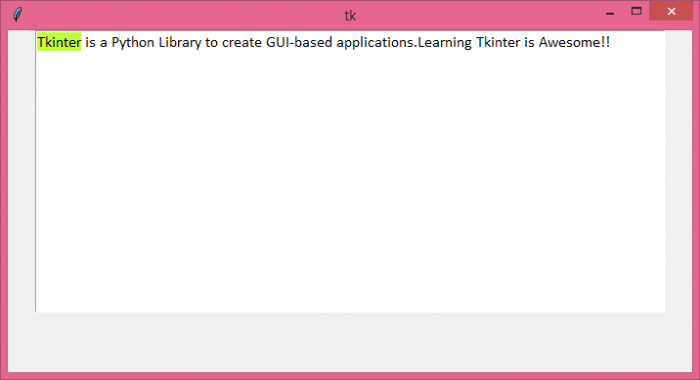
运行上述代码将显示一个窗口,其中有一个文本小部件,其中包含突出显示的文本。
相关文章
有用资源
python 参考教程 - 该教程包含有关 python 的更多信息:https://www.cainiaomax.com/python/

