
如何使用 Matplotlib 在 Python 中将颜色条方向设为水平?
pythonserver side programmingprogramming更新于 2025/8/7 21:00:17
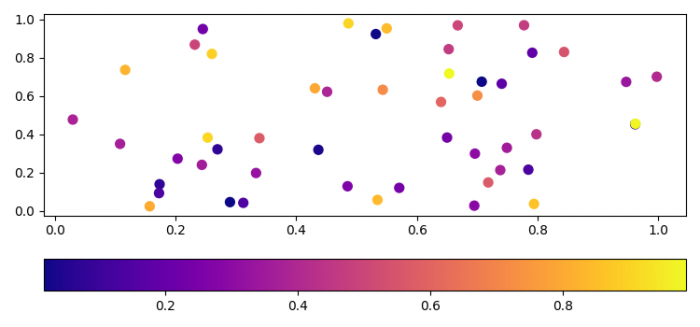
要在 Python 中将颜色条方向设为水平,我们可以在参数中使用 orientation="horizontal"。
步骤
- 设置图形大小并调整子图之间和周围的填充。
- 使用 numpy 创建随机 x、y 和 z 数据点。
- 创建一个图形和一组子图。
- 使用 scatter() 方法绘制 x、y 和 z 数据点。
- 为 ScalarMappable 实例创建颜色条,方向为水平。
- 要显示图形,使用show()方法。
示例
import numpy as np
import matplotlib.pyplot as plt

plt.rcParams["figure.figsize"] = [7.50, 3.50]
plt.rcParams["figure.autolayout"] = True

x, y, z = np.random.rand(3, 50)
f, ax = plt.subplots()

points = ax.scatter(x, y, c=z, s=50, cmap="plasma")
f.colorbar(points, orientation="horizontal")

plt.show()
输出
相关文章
有用资源
python 参考教程 - 该教程包含有关 python 的更多信息:https://www.cainiaomax.com/python/

