
如何在 Tkinter 中运行 matplotlib?
tkinterpythongui-programming更新于 2025/5/19 10:52:17
Python 的一个众所周知的用例是机器学习和数据科学。为了可视化和绘制数据集,我们使用 Matplotlib 库。要在 Tkinter 应用程序中绘制 matplotlib 图形,我们必须通过初始化"from matplotlib.pyplot as plt"来导入库。可以通过定义范围值或导入笔记本中的数据集来绘制图表。
示例
#导入所需的库
from tkinter import *
from tkinter import ttk
import numpy as np
import matplotlib.pyplot as plt

#创建 Tkinter 框架实例
win= Tk()

#设置窗口的几何形状
win.geometry("700x250")

def graph():
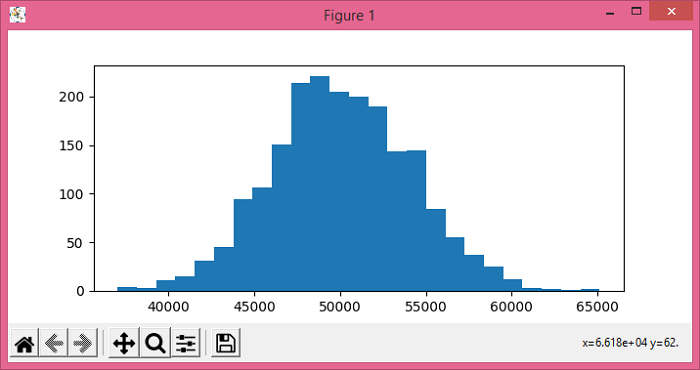
   car_prices= np.random.normal(50000,4000,2000)
   plt.figure(figsize=(7,3))
   plt.hist(car_prices, 25)
   plt.show()

#创建一个按钮来绘制图形
button= ttk.Button(win, text= "Graph", command= graph)
button.pack()

win.mainloop()
输出
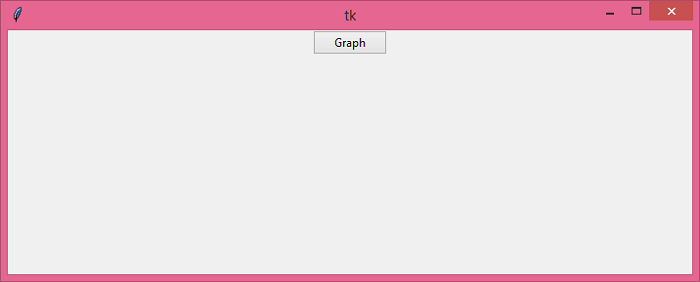
运行上述代码将显示一个包含按钮的窗口。
当我们单击"Graph"按钮,它将在主窗口上显示一个图表。
相关文章
有用资源
python 参考教程 - 该教程包含有关 python 的更多信息:https://www.cainiaomax.com/python/

