
如何借助 jQuery 搜索 JSON 树?
JSON(JavaScript 对象表示法)是一种在服务器和 Web 应用程序之间传输数据时广泛使用的数据格式。在许多情况下,JSON 数据具有复杂的结构,并且搜索特定数据需要一些特殊的函数实现。jQuery 是一个流行的 JavaScript 库,它提供了强大的方法来使用 .each() 方法、filter() 和 grep 方法有效地导航和搜索 JSON 树。在本文中,我们将探索所有这些方法,以借助 jQuery 搜索 JSON 树。
了解 JSON 树
JSON 数据以分层结构组织,通常称为 JSON 树。它由键值对组成,其中值可以是简单数据类型(字符串、数字、布尔值等)或嵌套的 JSON 对象或数组。遍历这棵树需要了解结构并找到一种方法来识别和提取所需的数据。在下面的示例中,我们将使用示例在线商店目录的 JSON 数据,其中包含目录中每个产品的数据,如下所示:
var catalog = {
    "products": [
        {
            "id": 1,
            "name": "T-shirt",
            "price": 19.99,
            "category": "Clothing",
            "color": "Blue"
        },
        {
            "id": 2,
            "name": "Smartphone",
            "price": 399.99,
            "category": "Electronics",
            "color": "Black"
        },
        {
            "id": 3,
            "name": "Book",
            "price": 9.99,
            "category": "Books",
            "color": "Red"
        }
    ]
};
导入 jQuery
在开始搜索实现之前,我们需要将 jQuery 包含在网页中。我们可以下载 jQuery 库并将其托管在本地,也可以从内容分发网络 (CDN) 中包含它。为简单起见,我们将使用 CDN 方法。
<!DOCTYPE html>
<html>
<head>
    <script src="https://code.jquery.com/jquery-3.6.0.min.js"></script>
    <title>JSON Tree Search with jQuery</title>
</head>
<body>
    <!-- Your HTML content here -->
</body>
</html>
</pre>
使用 jQuery 搜索 JSON 树
我们可以使用各种方法从 JSON 树中搜索特定数据。使用 JQuery,我们可以使用以下方法执行此任务:
方法 1:使用 .each() 方法进行基本搜索
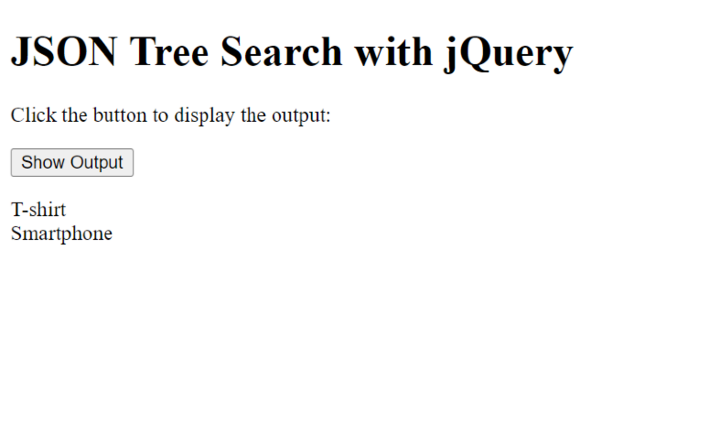
要执行基本搜索,我们可以使用 jQuery 的 .each() 函数迭代 JSON 树中的每个对象或数组。例如,让我们查找价格大于 $15 的所有产品。
语法
$.each(collection, callback)
在这里,.each() 方法迭代集合(例如数组或对象)并为集合中的每个项目执行回调函数。回调函数采用两个参数:索引/键和正在迭代的当前项的值。
示例
在下面的示例中,$(document).ready() 函数确保在文档 (HTML) 完全加载时执行其中的代码。在 $(document).ready() 函数中,我们有一个事件处理程序,用于处理 id 为 showOutputBtn 的按钮的单击事件。单击此按钮时,将触发该函数。在单击事件处理程序函数中,我们定义一个变量 outputText 来存储输出字符串。然后,我们使用 $.each() 迭代 catalog.products 数组中的每个产品对象。对于每种产品,我们检查价格是否大于 15。如果是,我们将产品名称连同换行符一起附加到 outputText 。最后,我们使用 $('#output').html(outputText) 将 id 为 output 的
元素的 HTML 内容设置为 outputText。这将在屏幕上显示输出。
<!DOCTYPE html>
<html>
<head>
    <script src="https://code.jquery.com/jquery-3.6.0.min.js"></script>
    <title>JSON Tree Search with jQuery</title>
</head>
<body>
    <h1>JSON Tree Search with jQuery</h1>
    <p>Click the button to display the output:</p>
    <button id="showOutputBtn">Show Output</button>
    <p id="output"></p>

    <script>
        var catalog = {
            "products": [
                {
                    "id": 1,
                    "name": "T-shirt",
                    "price": 19.99,
                    "category": "Clothing",
                    "color": "Blue"
                },
                {
                    "id": 2,
                    "name": "Smartphone",
                    "price": 399.99,
                    "category": "Electronics",
                    "color": "Black"
                },
                {
                    "id": 3,
                    "name": "Book",
                    "price": 9.99,
                    "category": "Books",
                    "color": "Red"
                }
            ]
        };

        $(document).ready(function() {
            $('#showOutputBtn').click(function() {
                var outputText = '';
                $.each(catalog.products, function(index, product) {
                    if (product.price > 15) {
                        outputText += product.name + '<br>';
                    }
                });
                $('#output').html(outputText);
            });
        });
    </script>
</body>
</html>
输出
方法 2:使用 filter 和 grep 方法按属性进行过滤
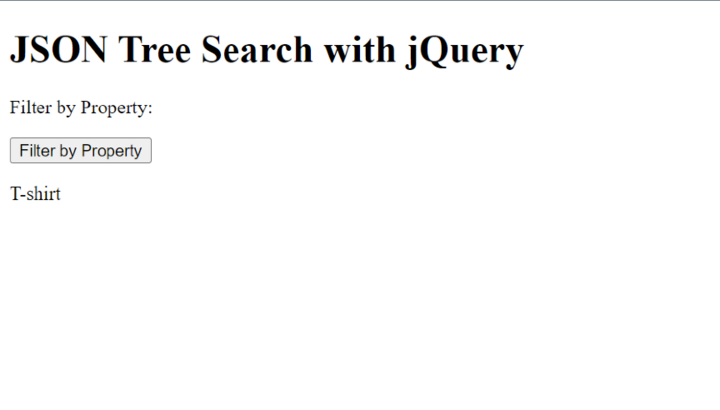
要搜索属性中的特定值,我们可以使用 jQuery 的 .filter() 方法。例如,让我们在 JSON 数据树中查找属于"电子产品"类别的所有产品。
语法
$.grep(array, callback)
此处,.grep() 方法根据提供的回调函数过滤数组。它创建一个新数组,其中仅包含通过回调中指定的条件的元素。回调函数应返回 true 以将元素包含在过滤后的数组中,或返回 false 以将其排除。
示例
在下面的示例中,我们为 id 为 filterByPropertyBtn 的按钮设置了一个单击事件处理程序。单击按钮后,它会根据 category 属性筛选 catalog.products 数组,仅选择 category 值为"Clothing"的产品。然后,它会遍历已筛选的产品并将其名称附加到 outputText 变量,以换行符分隔。最后,它将 id 为 filterByPropertyOutput 的元素的 HTML 内容设置为 outputText,在屏幕上显示已筛选的产品名称。
<!DOCTYPE html>
<html>
<head>
    <script src="https://code.jquery.com/jquery-3.6.0.min.js"></script>
    <title>JSON Tree Search with jQuery</title>
</head>
<body>
    <h1>JSON Tree Search with jQuery</h1>
    <p>Filter by Property:</p>
    <button id="filterByPropertyBtn">Filter by Property</button>
    <p id="filterByPropertyOutput"></p>

    <script>
        var catalog = {
            "products": [
                {
                    "id": 1,
                    "name": "T-shirt",
                    "price": 19.99,
                    "category": "Clothing",
                    "color": "Blue"
                },
                {
                    "id": 2,
                    "name": "Smartphone",
                    "price": 399.99,
                    "category": "Electronics",
                    "color": "Black"
                },
                {
                    "id": 3,
                    "name": "Book",
                    "price": 9.99,
                    "category": "Books",
                    "color": "Red"
                }
            ]
        };

        $(document).ready(function() {
            $('#filterByPropertyBtn').click(function() {
                var filteredProducts = $.grep(catalog.products, function(product) {
                    return product.category === "Clothing";
                });

                var outputText = '';
                $.each(filteredProducts, function(index, product) {
                    outputText += product.name + '<br>';
                });
                $('#filterByPropertyOutput').html(outputText);
            });

        });
    </script>
</body>
</html>
输出
方法 3:使用深树遍历和 .find() 方法
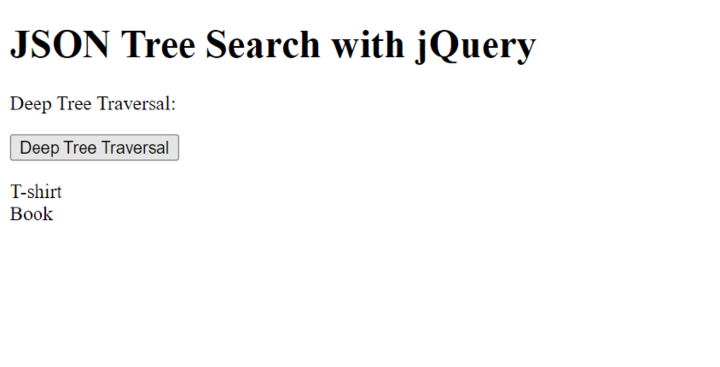
有时,我们需要在嵌套的 JSON 结构中搜索特定值。在这种情况下,我们可以使用递归方法或利用 jQuery 的 .find() 方法。例如,让我们查找所有蓝色或红色的产品。
语法
$(selector).find(filter)
在这里,.find() 方法用于根据过滤器在选定元素中搜索后代元素。它返回一个包含匹配元素的新 jQuery 对象。 selector 参数表示父元素,filter 参数指定要在父元素中找到的元素。
示例
在下面的示例中,我们定义了一个递归函数 findMatchingProducts,它遍历 JSON 树并检查所需的属性值。如果 color 属性匹配"Blue"或"Red",则将产品添加到 matchingProducts 数组中。
<!DOCTYPE html>
<html>
<head>
    <script src="https://code.jquery.com/jquery-3.6.0.min.js"></script>
    <title>JSON Tree Search with jQuery</title>
</head>
<body>
    <h1>JSON Tree Search with jQuery</h1>

    <p>Deep Tree Traversal:</p>
    <button id="deepTraversalBtn">Deep Tree Traversal</button>
    <p id="deepTraversalOutput"></p>

    <script>
        var catalog = {
            "products": [
                {
                    "id": 1,
                    "name": "T-shirt",
                    "price": 19.99,
                    "category": "Clothing",
                    "color": "Blue"
                },
                {
                    "id": 2,
                    "name": "Smartphone",
                    "price": 399.99,
                    "category": "Electronics",
                    "color": "Black"
                },
                {
                    "id": 3,
                    "name": "Book",
                    "price": 9.99,
                    "category": "Books",
                    "color": "Red"
                }
            ]
        };

            $('#deepTraversalBtn').click(function() {
                var matchingProducts = [];

                function findMatchingProducts(data) {
                    $.each(data, function(key, value) {
                        if (key === "color" && (value === "Blue" || value === "Red")) {
                            matchingProducts.push(data);
                        } else if (typeof value === "object") {
                            findMatchingProducts(value);
                        }
                    });
                }

                findMatchingProducts(catalog);

                var outputText = '';
                $.each(matchingProducts, function(index, product) {
                    outputText += product.name + '<br>';
                });
                $('#deepTraversalOutput').html(outputText);
            });
    </script>
</body>
</html>
输出
结论
在本文中,我们讨论了如何借助 jQuery 强大的方法和选择器搜索 JSON 树。通过利用本文中介绍的技术,您可以有效地从复杂的 JSON 结构中搜索和提取特定数据。jQuery 直观的语法和广泛的采用使其成为处理 JSON 操作和遍历的绝佳选择。在本文中,我们讨论了如何借助 jQuery 强大的方法和选择器搜索 JSON 树。通过利用本文中介绍的技术,您可以有效地从复杂的 JSON 结构中搜索和提取特定数据。jQuery 直观的语法和广泛的采用使其成为处理 JSON 操作和遍历的绝佳选择。
有用资源
python 参考教程 - 该教程包含有关 python 的更多信息:https://www.cainiaomax.com/python/

