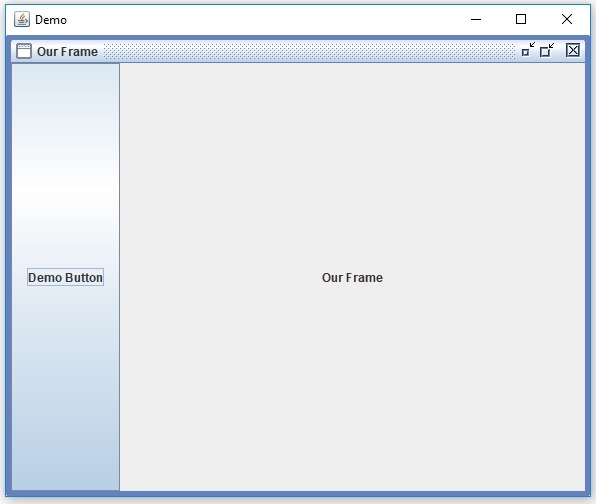
如何在 Java 中为 JDesktopPane 设置调色板层?
java 8object oriented programmingprogramming更新于 2025/8/23 8:44:17
首先,创建一个 JDesktopPane −
JDesktopPane desktopPane = new JDesktopPane();
现在,创建一个内部框架 −
JInternalFrame intFrame = new JInternalFrame("Our Frame", true, true, true, true);
intFrame.setBounds(50, 90, 200, 250);
为 JDesktopPane 设置调色板层,并将内部框架添加到 JDesktopPane −
intFrame.putClientProperty("JInternalFrame.isPalette", Boolean.TRUE);
desktopPane.add(intFrame,JDesktopPane.PALETTE_LAYER);
以下是为 JDesktopPane 设置调色板层的示例 −
package my;
import java.awt.BorderLayout;
import javax.swing.JButton;
import javax.swing.JDesktopPane;
import javax.swing.JFrame;
import javax.swing.JInternalFrame;
import javax.swing.JLabel;
public class SwingDemo {
   public static void main(final String[] args) {
      JFrame frame = new JFrame("Demo");
      frame.setDefaultCloseOperation(JFrame.EXIT_ON_CLOSE);
      JDesktopPane desktopPane = new JDesktopPane();
      JInternalFrame intFrame = new JInternalFrame("Our Frame", true, true, true, true);
      intFrame.setBounds(50, 90, 200, 250);
      intFrame.putClientProperty("JInternalFrame.isPalette", Boolean.TRUE);
      desktopPane.add(intFrame,JDesktopPane.PALETTE_LAYER);
      JLabel label = new JLabel(intFrame.getTitle(), JLabel.CENTER);
      JButton button = new JButton("Demo Button");
      intFrame.add(label, BorderLayout.CENTER);
      intFrame.add(button, BorderLayout.WEST);
      intFrame.setVisible(true);
      frame.add(desktopPane, BorderLayout.CENTER);
      frame.setSize(600, 500);
      frame.setVisible(true);
   }
}
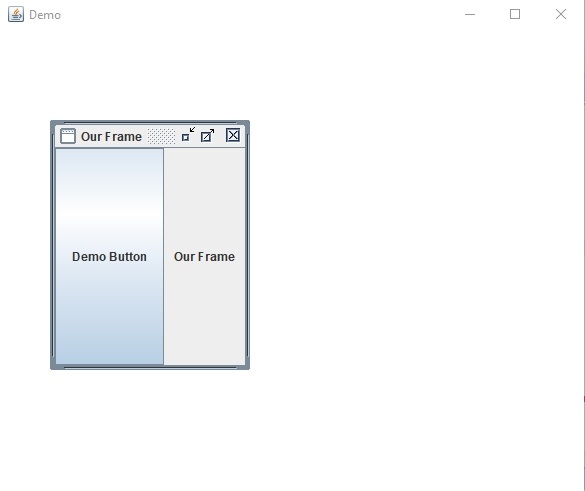
输出
最大化内部框架 −