
如何在网页上使用 Google 字体?
cssweb developmentfront end technology更新于 2025/12/17 4:28:17
要在您的网页上使用 Google 字体,代码如下−
示例
<!DOCTYPE html>
<html>
<head>
<link href="https://fonts.googleapis.com/css?family=Permanent+Marker&display=swap" rel="stylesheet"/>
<style>
   body {
      font-family: "Permanent Marker", cursive;
      font-size: 22px;
   }
</style>
</head>
<body>
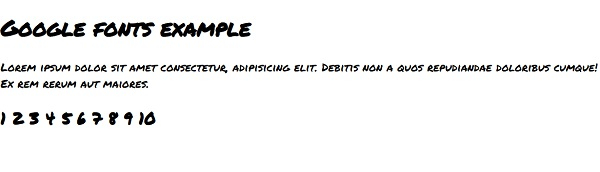
<h1>Google fonts example</h1>
<p>
Lorem ipsum dolor sit amet consectetur, adipisicing elit. Debitis non a quos repudiandae doloribus cumque! Ex rem rerum aut maiores.
</p>
<h2>1 2 3 4 5 6 7 8 9 10</h2>
</body>
</html>
输出
上述代码将产生以下输出 −
相关文章
有用资源
css 参考教程 - 该教程包含有关 css 的更多信息:https://www.cainiaomax.com/css/

