
在 HTML 文档中添加 CSS
cssweb developmentfront end technologyhtml更新于 2025/1/19 4:28:17
要在 HTML 文档中添加 CSS,我们可以内部添加、内联添加或链接外部文件。
语法
在 HTML 中添加 CSS 文件的语法如下
/*inline*/
<element style="/*declarations*/"></element>
/*internal*/
<head>
<style>
/*declarations*/
</style>
</head>
/*external*/
<head>
<link rel="stylesheet" href="#location">
</head>
示例
以下示例展示了 HTML 文档中 CSS 文件的链接
内联 CSS
<!DOCTYPE html>
<html>
<head>
</head>
<body>
<p style="font-family: Forte;">Demo text</p>
<p style="background-color: lightblue;">This is Demo text</p>
<img src="https://www.cainiaomax.com/memcached/images/memcached.jpg" style="border: 3px groove orange;">
</body>
</html>
输出
这将给出以下输出 −
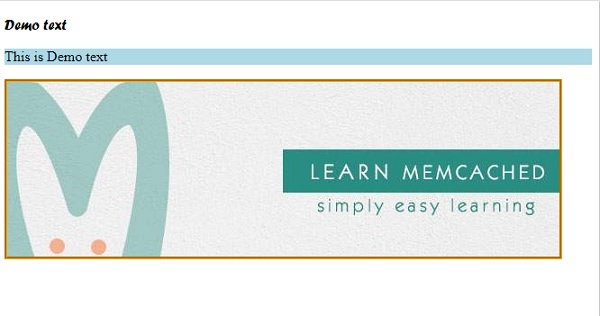
示例
内部链接
<!DOCTYPE html>
<html>
<head>
<style>
div {
   margin: auto;
   padding: 15px;
   width: 33%;
   border: 2px solid;
   border-radius: 5%;
}
div > div {
   border-color: transparent;
   box-shadow: inset 0 0 6px red;
}
div > div > div {
   border-color: red;
}
</style>
</head>
<body>
<div>
<div></div>
<div>
<div></div>
</div>
<div></div>
</div>
</body>
</html>
输出
这将给出以下输出 −

示例
外部链接
在 CSS 中,您还可以引入外部 CSS 文件并将 CSS 样式放入其中。HTML 文件中也可以引用相同的内容,如下例所示 −
<!DOCTYPE html>
<html>
<head>
<link rel="stylesheet" type="text/css" href="style.css">
</head>
<body>
<p>Demo text</p>
<p>Demo text again</p>
</body>
</html>
输出
这将给出以下输出 −
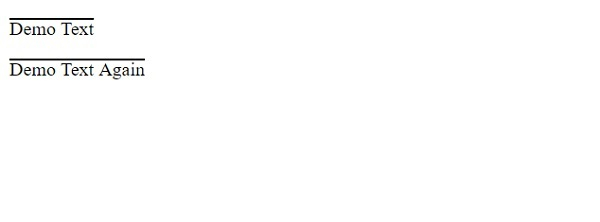
以下是 style.css −
p {
   text-decoration: overline;
   text-transform: capitalize;
}
相关文章
有用资源
html 参考教程 - 该教程包含有关 html 的更多信息:https://www.cainiaomax.com/html/

