
Kivy 简介;一个跨平台的 Python 框架
pythonserver side programmingprogramming更新于 2025/10/24 9:48:17
在本文中,我们将了解 Kivy 框架及其安装。Kivy 是一个基于 GUI 的应用程序界面,开源,可帮助开发适用于 Windows、Linux 和 Mac 的跨平台应用程序。
安装指南
首先,我们需要在 PC 上安装 Python。
之后,我们需要安装依赖项 −
Windows −
>>> python -m pip install docutils pygments pypiwin32kivy.deps.sdl2 kivy.deps.glew
>>> python -m pip install kivy.deps.gstreamer
>>> python -m pip install kivy.deps.angle
Linux −
$ sudo add-apt-repository ppa:kivy-team/kivy
安装 Kivy 文件
Windows −
>>> python -m pip install kivy
Linux −
>>> sudo apt-get install python3-kivy
现在让我们看看如何使用 Kivy − 创建图形用户界面
示例
import kivy
kivy.require('1.10.0')
from kivy.app import App # gui 界面创建器
from kivy.uix.button import Label # 按钮标签导入语句
class Sample(App):
   # 在屏幕上显示内容
   def build(self):
   # 使用 Sample 返回标签小部件
   return Label(text ="Tutorialpoint")
sample = Sample()
sample.run()
输出
将显示一个新窗口弹出窗口,标题为 Sample,其中包含文本"Tutorialspoint"。
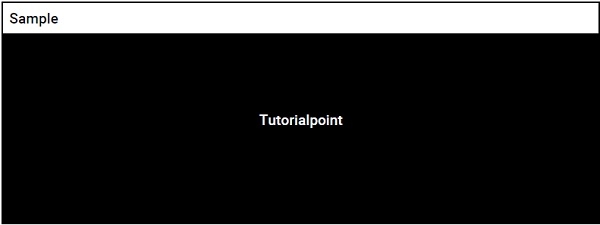
屏幕上将显示一个窗口弹出窗口
通过这种方式,我们可以使用 Kivy 在 Python 中创建一个基于 GUI 的应用程序
结论
在本文中,我们了解了如何使用 kivy 框架创建基于 GUI 的应用程序。
相关文章
有用资源
python 参考教程 - 该教程包含有关 python 的更多信息:https://www.cainiaomax.com/python/

