JavaFX 按钮行为设置示例
javafxobject oriented programmingprogramming更新于 2026/1/4 6:04:17
按钮是用户界面应用程序中的控件,通常,点击按钮时会执行相应的操作。您可以通过实例化 javafx.scene.control.Button 类来创建按钮。
Button 类从 javafx.scene.control.ButtonBase 类继承了名为 onAction 的属性,该属性的类型为 ObjectProperty<EventHandler<ActionEvent>>。此属性表示按下按钮时调用的操作。您可以使用 setOnAction() 方法设置此属性的值。
将操作设置为按钮的方法之一是使用 OnAction() 方法。
示例
public class ButtonAction extends Application {
   @Override
   public void start(Stage stage) {
      //创建按钮
      Button button = new Button("Play";);
      button.setTranslateX(25);
      button.setTranslateY(150);
      //创建圆形
      Circle circle = new Circle(150, 150, 30);
      circle.setFill(Color.BROWN);
      //设置圆形的路径
      MoveTo moveTo = new MoveTo(15, 15);
      LineTo line1 = new LineTo(100, 150);
      CubicCurveTo cubicCurveTo = new CubicCurveTo();
      cubicCurveTo.setControlX1(400.0f);
      cubicCurveTo.setControlY1(40.0f);
      cubicCurveTo.setControlX2(175.0f);
      cubicCurveTo.setControlY2(250.0f);
      cubicCurveTo.setX(500.0f);
      cubicCurveTo.setY(150.0f);
      VLineTo vLine = new VLineTo();
      vLine.setY(80);
      Path path = new Path();
      path.getElements().addAll(moveTo, line1, cubicCurveTo, vLine);
      PathTransition pathTransition = new PathTransition();
      pathTransition.setDuration(Duration.millis(1000));
      pathTransition.setNode(circle);
      pathTransition.setPath(path);
      pathTransition.setOrientation(
      PathTransition.OrientationType.ORTHOGONAL_TO_TANGENT);
      pathTransition.setCycleCount(50);
      pathTransition.setAutoReverse(false);
      //设置按钮动作
      button.setOnAction(e -> {
         pathTransition.play();
      });
      //设置舞台
      Group root = new Group(button, circle);
      Scene scene = new Scene(root, 595, 220, Color.BEIGE);
      stage.setTitle("Button Action");
      stage.setScene(scene);
      stage.show();
   }
   public static void main(String args[]){
      launch(args);
   }
}
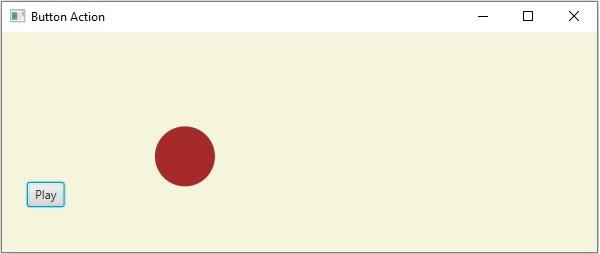
输出