
JavaScript History 对象
javascriptweb developmentobject oriented programming更新于 2025/12/11 7:08:17
JavaScript History 对象包含用户访问过的 URL 列表,并允许我们在历史列表中后退或前进,还可以从历史列表中加载一些 URL。
以下是在 JavaScript 中实现 History 对象的代码 −
示例
<!DOCTYPE html>
<html lang="en">
<head>
<meta charset="UTF-8" />
<meta name="viewport" content="width=device-width, initial-scale=1.0" />
<title>Document</title>
<style>
   body {
      font-family: "Segoe UI", Tahoma, Geneva, Verdana, sans-serif;
   }
   .sample {
      font-size: 18px;
      font-weight: 500;
   }
</style>
</head>
<body>
<h1>JavaScript History object</h1>
<div class="sample"></div>
<button class="btn">点击此处</button>
<h3>
Click on the above button to check our history length
</h3>
<script>
   let sampleEle = document.querySelector(".sample");
   document.querySelector(".Btn").addEventListener("click", () => {
      sampleEle.innerHTML = "Your history length is = " + history.length;
   });
</script>
</body>
</html>
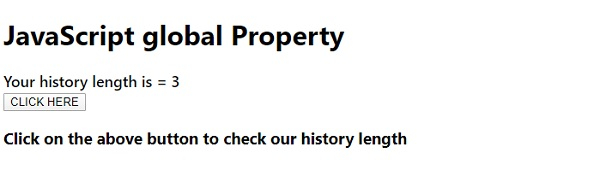
输出

点击‘CLICK HERE’按钮 −
相关文章
有用资源
javascript 参考教程 - 该教程包含有关 javascript 的更多信息:https://www.cainiaomax.com/javascript/

