
JavaScript 导入和导出模块
javascriptweb developmentobject oriented programming更新于 2025/12/16 5:00:17
要使用 JavaScript 导入和导出模块,代码如下 −
注意 − 要运行此示例,您需要运行本地主机服务器。
INDEX.html
示例
<!DOCTYPE html>
<html lang="en">
<head>
<meta charset="UTF-8" />
<meta name="viewport" content="width=device-width, initial-scale=1.0" />
<title>Document</title>
<style>
   body {
      font-family: "Segoe UI", Tahoma, Geneva, Verdana, sans-serif;
   }
   .result {
      font-size: 18px;
      font-weight: 500;
   }
</style>
</head>
<body>
<h1>JavaScript Importing and Exporting Modules</h1>
<button class="Btn">IMPORT</button>
<div class="result"></div>
<h3>
Click on the above button to import module
</h3>
<script src="script.js" type="module"></script>
<script src="sample.js" type="module"></script>
</body>
</html>
script.js
import test from './sample.js';
document.querySelector('.Btn').addEventListener('click',()=>{
   test();
})
sample.js
let resultEle = document.querySelector(".result");
export default function testImport(){
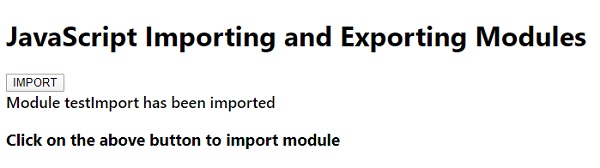
   resultEle.innerHTML = 'Module testImport has been imported';
}
输出
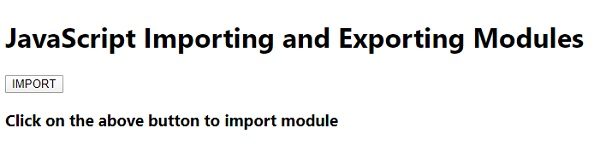
点击 “IMPORT” 按钮 −
相关文章
有用资源
javascript 参考教程 - 该教程包含有关 javascript 的更多信息:https://www.cainiaomax.com/javascript/

