
JavaScript lastIndex 属性
javascriptweb developmentobject oriented programming更新于 2025/12/11 9:48:17
JavaScript 中的 lastIndex 属性返回匹配发生时的索引位置,然后下一个匹配仅从该位置恢复。lastIndex 属性仅在设置了 ‘g’ 修饰符时才有效。
以下是 JavaScript 中 lastIndex 属性的代码 −
示例
<!DOCTYPE html>
<html lang="en">
<head>
<meta charset="UTF-8" />
<meta name="viewport" content="width=device-width, initial-scale=1.0" />
<title>Document</title>
<style>
   body {
      font-family: "Segoe UI", Tahoma, Geneva, Verdana, sans-serif;
   }
   .sample,
   .result {
      font-size: 18px;
      font-weight: 500;
      color: red;
   }
</style>
</head>
<body>
<h1>JavaScript lastIndex Property</h1>
<div class="sample">The king bought an expensive ring.</div>
<div style="font-weight: bold; color: black;" class="result"></div>
<button class="btn">点击此处</button>
<h3>
Click on the above button to find the index of 'ing' in the above string
</h3>
<script>
   let sampleEle = document.querySelector(".sample");
   let resultEle = document.querySelector(".result");
   let regex = new RegExp("ing", "g");
   regex.test(sampleEle.innerHTML);
   document.querySelector(".Btn").addEventListener("click", () => {
      resultEle.innerHTML +='"ing" found Current Index = ' + regex.lastIndex + "<br>";
      regex.test(sampleEle.innerHTML);
      resultEle.innerHTML += '"ing" found Current Index = ' + regex.lastIndex;
   });
</script>
</body>
</html>
输出
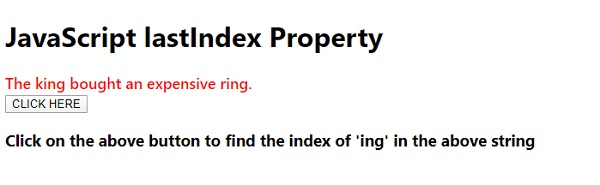
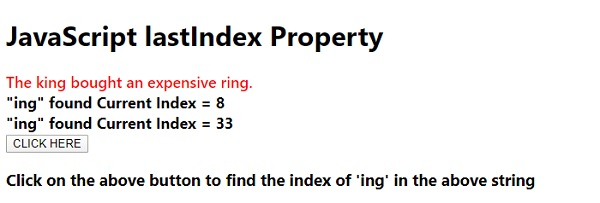
点击‘CLICK HERE’按钮 −
相关文章
有用资源
javascript 参考教程 - 该教程包含有关 javascript 的更多信息:https://www.cainiaomax.com/javascript/

