
OpenCV Java 示例缩放图像。
javaobject oriented programmingprogramming更新于 2025/10/6 21:00:17
Imgproc 类的 resize() 方法可调整指定图像的大小。此方法接受 −
两个 Mat 对象,分别表示源图像和目标图像。
一个 Size 对象,表示输出图像的大小。
一个双精度变量,表示沿水平轴的比例因子。
一个双精度变量,表示沿垂直轴的比例因子。
一个整数变量,表示操作中要使用的插值方法。
示例
import java.awt.Image;
import java.awt.image.BufferedImage;
import java.io.IOException;
import javafx.application.Application;
import javafx.embed.swing.SwingFXUtils;
import javafx.scene.Group;
import javafx.scene.Scene;
import javafx.scene.image.ImageView;
import javafx.scene.image.WritableImage;
import javafx.stage.Stage;
import org.opencv.core.Core;
import org.opencv.core.Mat;
import org.opencv.core.Size;
import org.opencv.highgui.HighGui;
import org.opencv.imgcodecs.Imgcodecs;
import org.opencv.imgproc.Imgproc;
public class ScalingAnImage extends Application {
   public void start(Stage stage) throws IOException {
      //加载 OpenCV 核心库
      System.loadLibrary( Core.NATIVE_LIBRARY_NAME );
      //读取图像数据
      String file ="D:\Images\elephant.jpg";
      Mat src = Imgcodecs.imread(file);
      //创建目标矩阵
      Mat dst = new Mat(src.rows(), src.cols(), src.type());
      //创建 Size 对象
      Size size = new Size(src.rows()*0.5, src.rows()*0.5);
      //缩放图像
      Imgproc.resize(src, dst, size, 0, 0, Imgproc.INTER_AREA);
      Imgcodecs.imwrite("D:\Images\scaling_example.jpg", dst);
      //将矩阵转换为 JavaFX 可写图像
      Image img = HighGui.toBufferedImage(dst);
      WritableImage writableImage= SwingFXUtils.toFXImage((BufferedImage) img, null);
      //设置图像视图
      ImageView imageView = new ImageView(writableImage);
      imageView.setX(10);
      imageView.setY(10);
      imageView.setPreserveRatio(true);
      //设置场景对象
      Group root = new Group(imageView);
      Scene scene = new Scene(root, 595, 400);
      stage.setTitle("Scaling Example");
      stage.setScene(scene);
      stage.show();
   }
   public static void main(String args[]) {
      launch(args);
   }
}
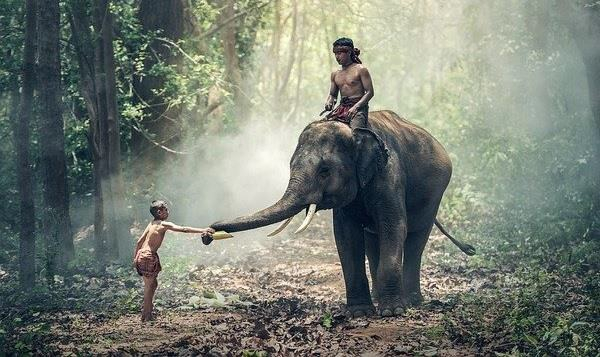
输入图片
输出
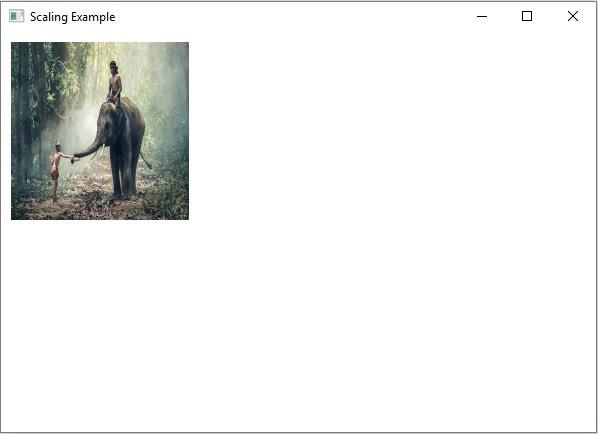
执行时,上述程序生成以下输出 −
相关文章
有用资源
java 参考教程 - 该教程包含有关 java 的更多信息:https://www.cainiaomax.com/java/

