
使用 CSS 的 Z-Index 属性重叠元素
cssweb developmentfront end technology更新于 2025/8/9 17:16:17
使用 CSS Z-Index 属性,开发人员可以将元素堆叠在一起。Z-Index 属性可以是正值或负值。
注意 如果重叠的元素未指定 z-index,则该元素将显示在文档中最后提及的位置。
示例
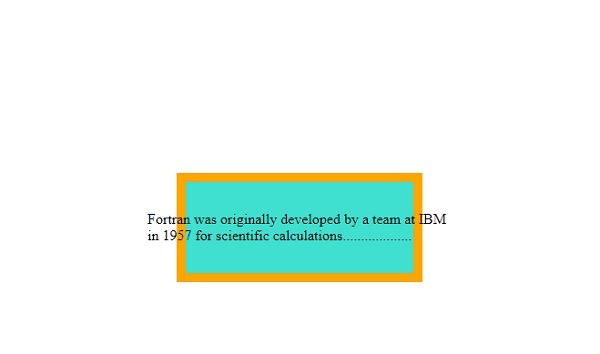
让我们看一个 z-index 属性的示例 −
<!DOCTYPE html>
<html>
<head>
<style>
p {
   margin: 0;
   position: absolute;
   top: 50%;
   left: 50%;
   transform: translate(-50%, -50%);
}
div{
   margin: auto;
   position: absolute;
   top:0;
   left: 0;
   right: 0;
   bottom: 0;
}
div:first-child {
   background-color: orange;
   width: 270px;
   height: 120px;
   z-index: -2;
}
div:last-child {
   width: 250px;
   height: 100px;
   z-index: -1;
   background-color: turquoise;
}
</style>
</head>
<body>
<div></div>
<p>Fortran was originally developed by a team at IBM in 1957 for scientific calculations...................</p>
<div>
</div>
</body>
</html>
输出
以下是上述代码的输出 −
示例
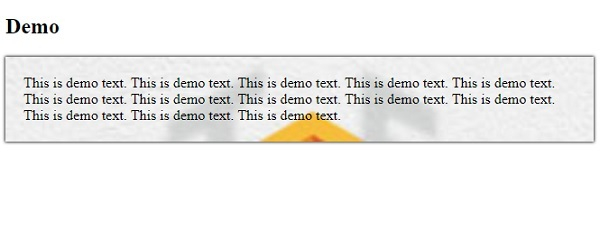
让我们看另一个 z-index 属性的例子 −
<!DOCTYPE html>
<html>
<head>
<style>
p {
   background: url("https://www.cainiaomax.com/tensorflow/images/tensorflow-mini-logo.jpg");
   background-origin: content-box;
   background-repeat: no-repeat;
   background-size: cover;
   box-shadow: 0 0 3px black;
   padding: 20px;
   background-origin: border-box;
}
</style>
</head>
<h2>Demo</h2>
<body>
<p>This is demo text. This is demo text. This is demo text. This is demo text.
This is demo text. This is demo text. This is demo text. This is demo text.
This is demo text. This is demo text. This is demo text. This is demo text.
This is demo text.</p>
</body>
</html>
输出
以下是上述代码的输出 −
相关文章
有用资源
css 参考教程 - 该教程包含有关 css 的更多信息:https://www.cainiaomax.com/css/

