
在 Tkinter 中按下按钮时运行多个命令
tkinterpythongui-programming更新于 2025/5/20 0:44:17
Button 小部件提供了一种通过应用程序的所有现有功能进行通信的方法。我们可以借助封装了函数和对象的 Button 来执行某个操作。但是,有时我们可能希望使用单个按钮执行多个操作。这可以通过定义针对应用程序中的多个事件或回调的 lambda 函数来实现。
示例
在此示例中,我们将向特定按钮添加多个事件。
#导入 Tkinter 库
from tkinter import *

#创建 Tkinter Frame 的实例
win = Tk()

#设置窗口的几何形状
win.geometry("700x350")

#定义函数
def display_msg():
   label.config(text="编程语言排行榜")

def show_list():
   listbox= Listbox(win, height=10, width= 15, bg= 'grey', activestyle= 'dotbox',font='aerial')
   listbox.insert(1,"Go")
   listbox.insert(1,"Java")
   listbox.insert(1,"Python")
   listbox.insert(1,"C++")
   listbox.insert(1,"Ruby")
   listbox.pack()
   button.destroy()

#创建一个 Label 小部件来显示消息
label= Label(win, text= "", font= ('aerial 18 bold'))
label.pack(pady= 20)

#定义一个 Button 小部件
button= Button(win, text= "Click Here",command= lambda:[display_msg(), show_list()])
button.pack()
win.mainloop()
输出
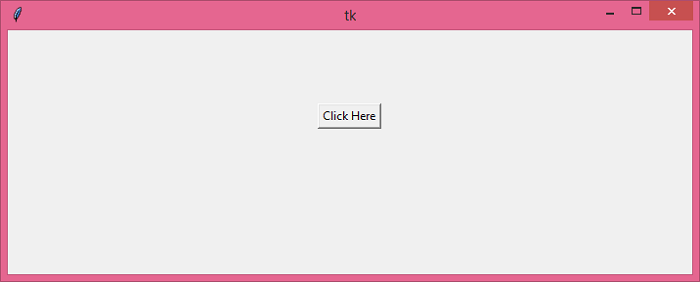
运行上述代码将显示一个包含按钮的窗口。
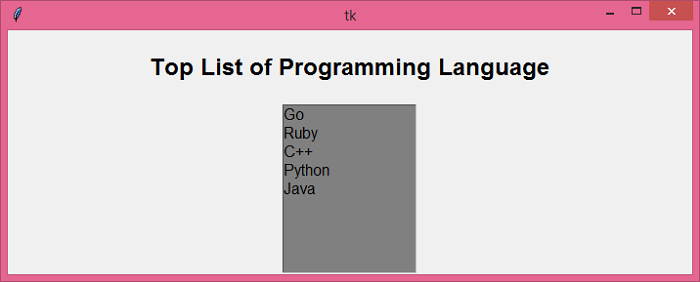
当我们单击按钮时,它将执行两个任务并行。它将显示一个包含标签小部件和字符串列表的窗口。
相关文章
有用资源
python 参考教程 - 该教程包含有关 python 的更多信息:https://www.cainiaomax.com/python/

