
使用 CSS 选择兄弟元素
cssweb developmentfront end technology更新于 2024/8/30 0:44:17
如果我们想要匹配紧随第一个选择器之后的元素,我们使用相邻兄弟选择器 (+)。这里,两个选择器都是同一父元素的子元素。
CSS 相邻兄弟选择器的语法如下 −
Selector + Selector{
   attribute: /*value*/
}
如果我们想要选择同一父元素的兄弟元素,而不考虑第二个选定元素的位置,我们使用 CSS 通用兄弟选择器。
CSS 通用兄弟选择器的语法如下 −
Selector ~ Selector{
   attribute: /*value*/
}
以下示例演示了 CSS 相邻和通用兄弟组合器属性。
示例
<!DOCTYPE html>
<html>
<head>
<style>
#parent {
   display: flex;
   margin: 2%;
   padding: 2%;
   box-shadow: inset 0 0 24px cyan;
   justify-content: space-around;
}
div + p {
   font-size: 1.2em;
   font-weight: bold;
   background: powderblue;
}
section {
   box-shadow: 0 0 3px rgba(0,0,0,0.8);
}
</style>
</head>
<body>
<div id="parent">
<img src="https://i.picsum.photos/id/616/200/200.jpg?hmac=QEzyEzU6nVn4d_vdALhsT9UAtTU
EVhwrT-kM5ogBqKM" />
<div>
<p>Check this</p>
<section><p>Some text in section</p></section>
<span>hello</span>
</div>
<p>Selected</p>
</div>
</body>
</html>
输出
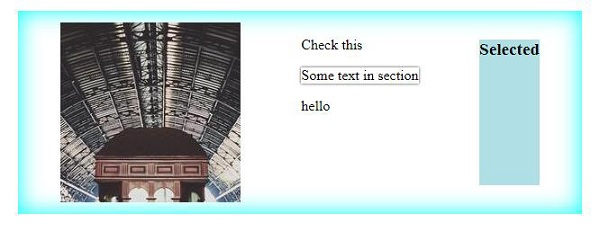
这将产生以下结果 −
示例
<!DOCTYPE html>
<html>
<head>
<style>
#parent {
   display: flex;
   margin: 2%;
   padding: 2%;
   background: thistle;
   justify-content: space-between;
}
section ~ p {
   text-align: center;
   font-size: 1.2em;
   font-weight: bold;
   background: lavender;
}
</style>
</head>
<body>
<div id="parent">
<img src="https://i.picsum.photos/id/616/200/200.jpg?hmac=QEzyEzU6nVn4d_vdALhsT9UAtTU
EVhwrT-kM5ogBqKM" />
<div>
<p>Random text 1</p>
<section><p>Some text in section</p></section>
<span>hello</span>
<p>Selected</p>
</div>
<img src="https://i.picsum.photos/id/1035/200/200.jpg?hmac=IDuYUZQ_7a6h4pQU2k7p2nxTMjMt4uy-p3ze94KtA4" />
</div>
</body>
</html>
输出
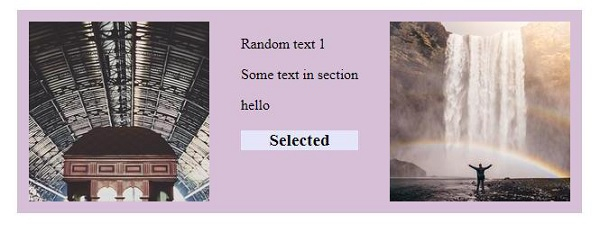
这将产生以下结果 −
相关文章
有用资源
css 参考教程 - 该教程包含有关 css 的更多信息:https://www.cainiaomax.com/css/

